Beginner's Guide to Hardware and Networking Basics
August 6, 2026


Discover how hardware and software components of computer network systems work together for seamless data flow and security.
November 2, 2026

Learn how to choose HIPAA compliant IT support for your healthcare organization, with guidance on safeguards, vendor verification, and breach response.
October 30, 2026

Explore health service administration careers, leadership skills, degrees, salaries, and job outlook for modern healthcare executives.
October 24, 2026
August 6, 2026
Hardware and networking form the physical and logical backbone of every modern business — from the computers on your desks to the routers, switches, and cables that connect them to the internet and to each other.
If you're looking for a quick answer:
Here's a plain-English breakdown of what each layer does:
| Layer | What It Includes | What It Does |
|---|---|---|
| Computer Hardware | CPU, RAM, SSD, GPU, motherboard | Processes and stores data locally |
| Network Hardware | Routers, switches, firewalls, NICs | Moves data between devices and networks |
| Cabling & Wireless | Cat6, fiber optics, Wi-Fi access points | Provides the physical or wireless path for data |
| Security Hardware | Firewalls, SmartNICs, VPN appliances | Protects data in motion and at rest |
Most businesses don't think about this infrastructure — until something breaks. A slow router, an outdated switch, or a firewall with unpatched firmware can cripple productivity and open the door to cyberattacks.
At Next Level Technologies, our teams in Columbus, OH and Charleston, WV work with mid-sized businesses every day to build, manage, and secure the hardware and network infrastructure they depend on. This guide walks you through everything you need to know — from the basics to the cutting edge.
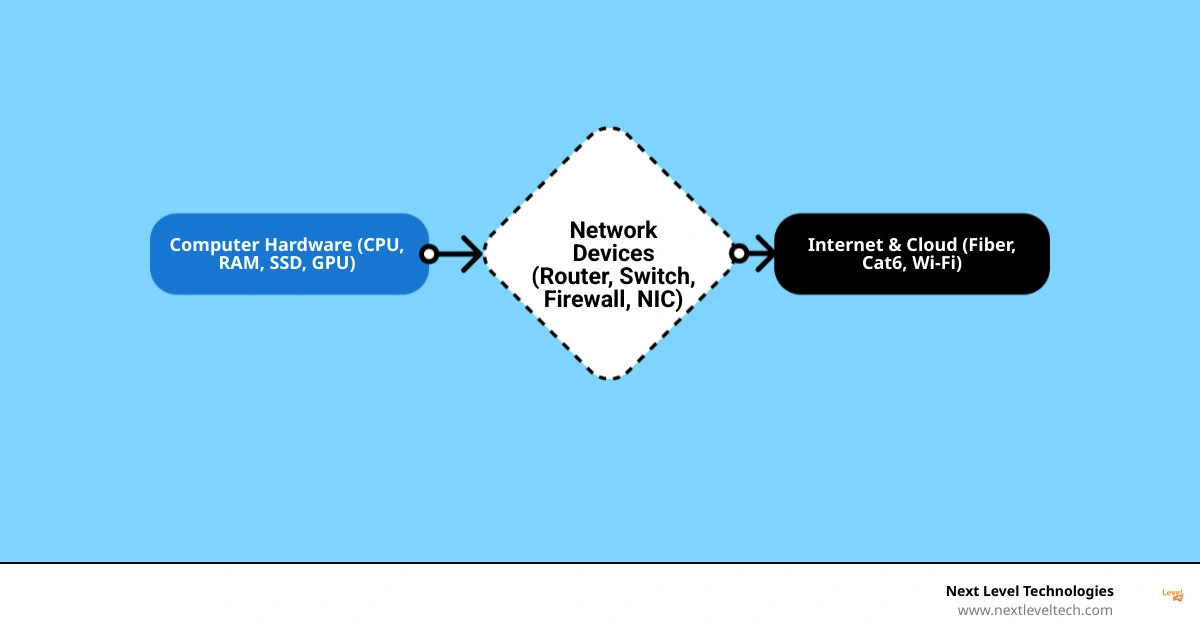
Explore more about hardware and networking:
To understand how data flows through your business, we must first look at how individual computers process information and how they connect to the wider world. Think of computer hardware as the engine inside an individual car, and networking as the highway system that allows those cars to travel and interact.
Every computer on your network relies on a delicate balance of physical components to function. At the heart of this system is the motherboard, which acts as the central nervous system connecting all other elements.
The Central Processing Unit (CPU) is the brain, performing billions of instruction cycles per second to execute software commands. For decades, Moore's Law — the observation that the number of transistors on a microchip doubles roughly every two years — has driven an exponential increase in computing power while reducing physical size and cost.
For specialized visual and computational tasks, the Graphics Processing Unit (GPU) assists the CPU by handling parallel processing workloads. To keep these processors fed with data, computers use two types of memory:
For long-term data storage, modern businesses have shifted from legacy Hard Disk Drives (HDDs) to Solid-State Drives (SSDs), which utilize flash memory to read and write data almost instantly. To put modern storage capacities into perspective:
To learn more about how these local components interact with communication systems, read our guide on computer hardware networking and explore the relationship between computer hardware software and networking.
Once individual computers are running, they must be linked together. Depending on your business's physical footprint, you will utilize different types of networks:
To build these environments, you need a specific set of foundational hardware. A standard checklist for basic hardware and networking includes:
Understanding how these components link together is crucial for building reliable computer networks that scale alongside your organization.
A healthy network is designed like a well-structured city. It has internal residential streets, major highways, and secure border checkpoints. In network architecture, we classify physical hardware based on where it sits in this topology and how it handles data packets using the Open Systems Interconnection (OSI) model.
At the center of your internal network are the devices that coordinate local traffic. It is incredibly common to confuse these devices, but they perform very different jobs:
For a deeper dive into how these devices evolved, see our article on hubs switches bridges and routers and check out our breakdown of network hardware in computer networks.
To keep traffic moving safely between different zones, we deploy border and hybrid devices:
To learn how to position these components in your office, consult our basic computer hardware networking guide.
Have you ever wondered why your business internet feels slow, even though you pay your ISP for a "gigabit" connection? Often, the bottleneck isn't your internet plan — it's the physical hardware inside your building.
To optimize your network, you must understand the difference between bandwidth, throughput, and latency:
If your physical cabling is outdated, you will experience packet loss — data that gets lost in transit and must be resent, causing severe lag during video calls and file transfers. Upgrading to modern copper cabling like Cat6 supports speeds up to 10 Gbps over short distances. For maximum speed, zero electromagnetic interference, and virtually unlimited bandwidth over long distances, fiber-optic cabling is the gold standard.
Investing in high-quality physical infrastructure is one of the most effective computer hardware solutions to eliminate daily technical frustrations.
Every business environment has unique infrastructure needs. A home office might get by with a consumer-grade all-in-one router, but growing businesses require enterprise-grade gear designed for:
When evaluating your physical and cloud hardware infrastructure, it is crucial to select computer equipment for business that is designed for continuous, high-volume workloads rather than consumer use.
Cybersecurity is not just a software problem. Hackers frequently exploit physical hardware vulnerabilities, and software-only security tools can severely bog down your servers. That is why modern cybersecurity relies heavily on dedicated hardware-level protections.
When your business uses a VPN, every single packet of data must be encrypted before it leaves your network and decrypted when it arrives. This mathematical process is incredibly heavy and can easily consume 100% of your server's CPU capacity, slowing your entire business to a crawl.
To solve this, advanced security gateways utilize dedicated hardware acceleration engines. For example, the Netgate 6100 MAX pfSense+ Software - VPN, Routing, & Firewall Hardware Appliance utilizes Intel QuickAssist Technology (QAT) to offload cryptographic processing. By handling encryption and decryption directly on a specialized chip, your main CPU remains free to run your business applications smoothly.
For larger enterprises, the Netgate 8300 MAX pfSense+ Security Gateway delivers up to 18.5 Gbps of Layer 3 routing and massive firewall throughput, proving that robust security doesn't have to compromise speed. Discover more about physical defense systems in our guide to computer security hardware solutions.
Physical hardware contains low-level software called firmware. Over time, security researchers discover vulnerabilities in this firmware that could allow hackers to bypass your firewall entirely.
Regularly updating firmware patches is an absolute necessity. Furthermore, physical network hardware eventually reaches its "End of Life" (EOL), meaning the manufacturer will no longer release security updates for it. Running EOL hardware in a medical clinic or professional services firm is an open invitation for a data breach.
Conducting a thorough it infrastructure assessment complete guide is the best way to identify aging hardware before it fails. Maintaining a proactive approach to it infrastructure and security ensures your business remains compliant and secure year-round.
As we move through July 2026, the demands on data center networks have skyrocketed. Artificial Intelligence (AI), machine learning, and high-performance computing (HPC) require physical hardware capable of moving unimaginable volumes of data with zero latency.
Standard network cards are no longer enough to support distributed AI training models. Today's enterprise environments rely on SmartNICs and SuperNICs — network interface cards that feature their own onboard processors to offload security, storage, and networking tasks entirely from the host CPU.
NVIDIA's advanced lineup of Ethernet Network Adapters - ConnectX NICs | NVIDIA offers speeds up to 400 gigabits per second (Gb/s) while offloading and accelerating encryption/decryption tasks at line rate. For massive AI infrastructures, NVIDIA Ethernet SuperNICs deliver up to 800Gb/s of throughput.
To explore the exact technical capabilities of these enterprise-grade accelerators, you can review the ConnectX-7 Ethernet Datasheet.
To achieve the ultra-low latency required for modern computing, advanced hardware utilizes RDMA (Remote Direct Memory Access). This technology allows computers on a network to exchange data directly from their main memory (RAM) without involving either computer's operating system or CPU.
When run over Ethernet, this protocol is known as RoCE (RDMA over Converged Ethernet). Innovations in this space include:
A switch connects devices together within the same local network (LAN) and uses MAC addresses to send data to specific computers. A router connects different networks together (like connecting your office LAN to the internet WAN) and uses IP addresses to route data packets between them.
Even if you pay for a fast internet plan, outdated routers, slow switches, or damaged cables can act as bottlenecks. High-quality network hardware ensures data is processed rapidly, reduces latency, and prevents packet loss, allowing you to utilize your full bandwidth.
Manufacturers regularly release firmware updates to patch critical security vulnerabilities and improve device performance. Additionally, physical hardware eventually wears out or becomes obsolete, meaning it will no longer receive security updates and must be replaced to prevent cyberattacks.
Building a secure, high-performance IT infrastructure requires deep technical experience and a proactive approach. In today's digital landscape, you cannot afford to treat your network as an afterthought.
At Next Level Technologies, we have spent more than two decades helping small and mid-sized businesses in Columbus, OH and Charleston, WV design, implement, and maintain robust hardware and networking solutions. Our local engineering teams undergo continuous, extensive cybersecurity training to ensure your business remains secure, compliant, and completely free of costly downtime.
Whether you need to upgrade your physical office switches, implement a secure hybrid cloud infrastructure, or transition to a predictable Hardware as a Service (HaaS) model, we are here to help.
Partner with Next Level Technologies for Managed IT and Support today to take your business infrastructure to the next level.
Discover how hardware and software components of computer network systems work together for seamless data flow and security.
November 2, 2026
Learn how to choose HIPAA compliant IT support for your healthcare organization, with guidance on safeguards, vendor verification, and breach response.
October 30, 2026

