Beyond the Basics: What to Expect in Hardware and Networking Interviews
December 19, 2025


Compare the best healthcare learning management platforms for providers with Next Level Technologies, serving Columbus, Ohio and Charleston, WV.
September 19, 2026
Compare cloud backup services with this guide to backup cloud database service architecture, security, and disaster recovery.
September 12, 2026
Compare cloud based backup services with our ultimate checklist covering encryption, recovery, and compliance for your business.
September 5, 2026
December 19, 2025
Basic hardware and networking forms the foundation of every IT career, and mastering these fundamentals is your first step toward landing a technical role. Whether you're preparing for your first help desk position or aiming for a network administrator role, interview questions will test your understanding of physical components, network devices, and how data moves between systems.
Here's what basic hardware and networking covers:
The global network hardware market is projected to reach USD 60.2 billion by 2030, reflecting the massive demand for skilled professionals who understand these systems. With over 5.35 billion internet users worldwide and more than 75 billion IoT devices expected by 2025, businesses need IT teams who can design, maintain, and troubleshoot increasingly complex infrastructure.
Understanding how a router directs traffic, how RAM affects performance, or why a switch is better than a hub for a business network shows interviewers you grasp the "why" behind technology choices—not just the "what." This knowledge translates directly into solving real problems: reducing downtime, improving security, and keeping businesses running smoothly.
I'm Steve Payerle, President of Next Level Technologies, and over the past 15+ years building managed IT services in Columbus, Ohio and Charleston, WV, I've seen how mastering basic hardware and networking separates candidates who get hired from those who don't. Our team applies these fundamentals daily to protect and optimize business technology, and the same principles that guide our work will help you succeed in your interview.
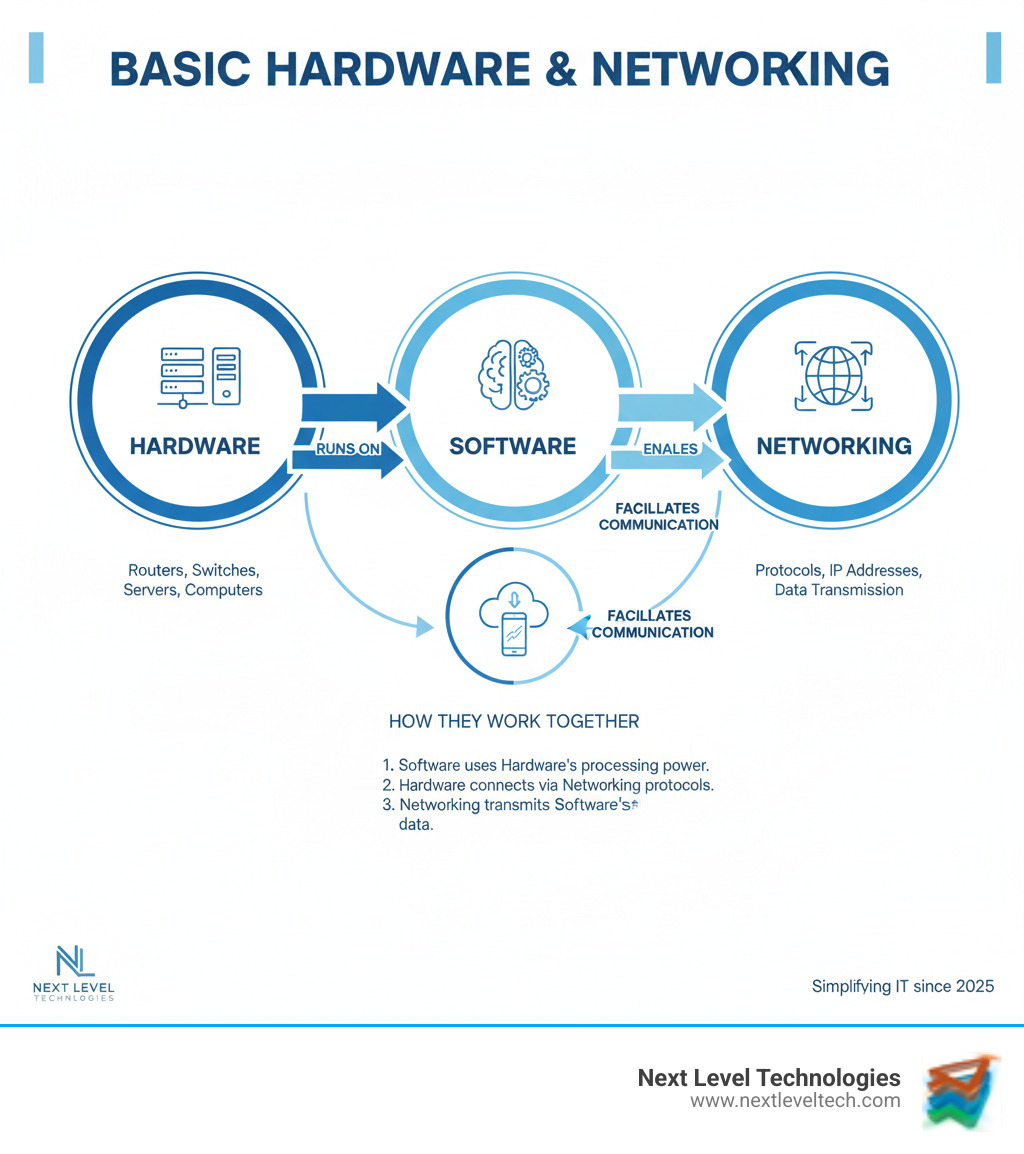
When we talk about basic hardware and networking, we're starting with the physical components you can actually touch. These are the pieces that sit inside every computer, server, and network device—the foundation that makes everything else possible.
Think of hardware as the body of your computer system. Without it, software has nowhere to live and networks have nothing to connect. And just like knowing basic anatomy helps a doctor diagnose problems, understanding these components helps IT professionals troubleshoot issues, upgrade systems, and make smart decisions about technology investments.
At Next Level Technologies, we've built our Computer Hardware Solutions around this principle: you can't manage what you don't understand. Whether we're working with clients in Columbus, Ohio or Charleston, WV, every project starts with these fundamentals.
Here's one of the first questions you'll face in any IT interview: What's the difference between hardware and software?
Hardware is the physical stuff—the tangible components you can hold in your hand or see when you open a computer case. It's the motherboard, the processor, the memory chips, and the storage drives. These pieces are designed to perform specific tasks, like processing data, storing files, or displaying images.
Software, on the other hand, is completely intangible. It's the programs, applications, and operating systems that tell the hardware what to do. Software is made of code and instructions—the logic that turns physical components into useful tools.
The magic happens when they work together. Let's say you're typing on your keyboard (hardware). Those keystrokes travel through circuits to your CPU (hardware), which processes them using instructions from your operating system (software), and displays the letters on your monitor (hardware). This collaboration between physical components and logical instructions is what makes computing possible.
You can't have one without the other. Hardware without software is just expensive metal and silicon. Software without hardware has nowhere to run. Understanding this relationship is crucial for anyone working in IT, and it's something we explore deeply in our approach to Computer Hardware, Software, and Networking.
Computer hardware breaks down into two main categories: internal components (the parts inside the case) and external components or peripherals (the devices you connect from outside).
Inside the case, you'll find the core components that do the actual computing work. The motherboard acts like the nervous system, connecting everything together. It's the main circuit board where the CPU, RAM, and other components plug in and communicate with each other.
The CPU (Central Processing Unit) is the brain of the operation. This chip processes instructions and performs the calculations that make everything happen. Modern CPUs have multiple cores, which means they can handle several tasks at once—like having multiple brains working in parallel. CPUs generate heat, so they always need cooling systems (usually a heat sink and fan) to keep them running safely.
RAM (Random Access Memory) serves as the computer's short-term memory. It temporarily holds the data and programs you're actively using right now. When you close a program or shut down your computer, that information disappears—RAM is volatile memory. The more RAM you have, the more programs you can run smoothly at the same time.
For permanent storage, computers use either Hard Disk Drives (HDDs) or Solid-State Drives (SSDs). HDDs store data magnetically on spinning platters—they're reliable and affordable, but slower because of those moving parts. SSDs use flash memory with no moving parts, making them much faster and more durable. Your files, operating system, and programs all live on these storage devices, and unlike RAM, they keep your data even when the power's off.
The graphics card (GPU) handles all the visual processing, converting data into the images you see on screen. If you're gaming, editing video, or doing any graphics-intensive work, a powerful GPU makes a huge difference. For basic office tasks, though, many computers use integrated graphics built into the CPU.
Finally, the power supply unit (PSU) converts the alternating current (AC) from your wall outlet into the direct current (DC) that computer components need to operate. It's the unsung hero that keeps everything powered up.
External components extend what your computer can do. Your monitor displays visual output, while your keyboard and mouse let you input commands and interact with programs. Printers create physical copies of documents, and speakers or headphones handle audio output. You might also connect webcams for video calls or microphones for recording audio.
Understanding these components isn't just academic knowledge—it's practical expertise that helps you make smart purchasing decisions, diagnose problems quickly, and design effective IT solutions. Our teams in both Columbus and Charleston apply this knowledge daily when we're helping businesses optimize their technology infrastructure. If you want to dive deeper into these concepts, resources like Essential Computer Hardware offer comprehensive guides to each component's role and function.
Think about the last time you sent an email, printed a document from your desk, or streamed a video. None of that would be possible without networking. A computer network is simply a collection of devices that can talk to each other and share resources. These devices—computers, servers, printers, smartphones, and more—form the backbone of how we work and communicate today.
The goals of networking go far beyond just connecting machines. We're aiming for convenience, making it easy to access files and applications from anywhere in the office. We want efficiency, so teams can collaborate in real-time without emailing files back and forth. There's resource management, where everyone can use the same printer or software license without buying duplicates. And critically, we need security and protection to keep business data safe from unauthorized access and cyber threats.
Networks also deliver reliability and fault tolerance. When one component fails, a well-designed network keeps your business running. And there's scalability—the ability to add more devices, users, and even IoT sensors without grinding everything to a halt. These aren't just technical goals; they're business requirements. Whether you're in Columbus, Ohio or Charleston, WV, the right network infrastructure makes the difference between smooth operations and constant headaches. That's why we emphasize these principles in our approach to IT Infrastructure for Small Business.
Understanding Basics of Computer Networking starts with getting comfortable with the terminology and architecture choices that shape how networks function.
Before you can explain how data travels from your computer to a server halfway across the country, you need to speak the language. Let's break down the essential terms that form the foundation of basic hardware and networking knowledge.
A node is any device connected to a network that can send, receive, or forward information. Your laptop is a node. So is the server hosting your company's email, the printer in the corner, and even the smart thermostat in the conference room. The link is what connects these nodes—whether that's an Ethernet cable running through the walls or a Wi-Fi signal bouncing through the air.
When these nodes communicate, they follow protocols—agreed-upon rules for how data should be formatted, sent, and received. The most important protocol suite is TCP/IP (Transmission Control Protocol/Internet Protocol). Think of TCP as the reliable delivery service that makes sure your data arrives intact and in the right order, while IP handles the addressing system that gets your data to the correct destination.
Every device on a network needs an IP address, which is a unique numerical label that identifies it on the network. It's like a street address for your computer. When you send data across a network, it doesn't travel as one big chunk. Instead, it gets broken into small, manageable pieces called data packets. Each packet contains a portion of your data plus the addressing information needed to reach its destination and get reassembled correctly.
Finally, there's transmission media—the physical or wireless pathways that carry these packets. Ethernet cables and fiber optic lines are wired transmission media. Wi-Fi, Bluetooth, and infrared signals are wireless. Each has different speeds, ranges, and use cases.
These terms aren't just vocabulary for your interview. They're the building blocks for understanding how networks actually work, which is what separates candidates who memorize definitions from those who can troubleshoot real problems.
Network architecture isn't one-size-fits-all. The two main models—client-server and peer-to-peer—solve different problems, and knowing when to use each is crucial.
In a client-server architecture, you have a powerful central computer (the server) that provides resources and services to multiple other computers (the clients). When you open a web browser and visit a website, your browser is the client requesting information from a web server. When you access files from your company's file server, you're using client-server architecture. This model offers centralized control, making it easier to manage security, back up data, and enforce policies. It scales well as your business grows. The downside? If that central server fails, clients lose access to the resources it provides. That's why our team emphasizes high reliability and redundancy in the client-server systems we design at Next Level Technologies.
In a peer-to-peer (P2P) network, there's no boss. Every device acts as both a client and a server, sharing resources directly with other devices. This decentralized model is simpler to set up and costs less because you don't need a dedicated server. It works great for small home networks or quick file-sharing between a few computers. But as your network grows, P2P becomes harder to manage and secure. There's no central point for backups, no unified security policy, and performance can suffer when everyone's sharing resources equally.
Here's the practical reality: A small startup might begin with a peer-to-peer setup to save money, but as they add employees and need better security, they'll transition to client-server. Understanding this progression shows interviewers you think about networks in terms of business needs, not just technical specs. Resources like 1.2: Computer Hardware and Networks/01%3ATechnologyinEverydayLifeandBusiness/1.02%3AComputerHardwareandNetworks) provide excellent context for these architectural decisions.
The architecture you choose shapes everything from security to scalability, which is exactly why these questions come up in interviews and why they matter in the real world.
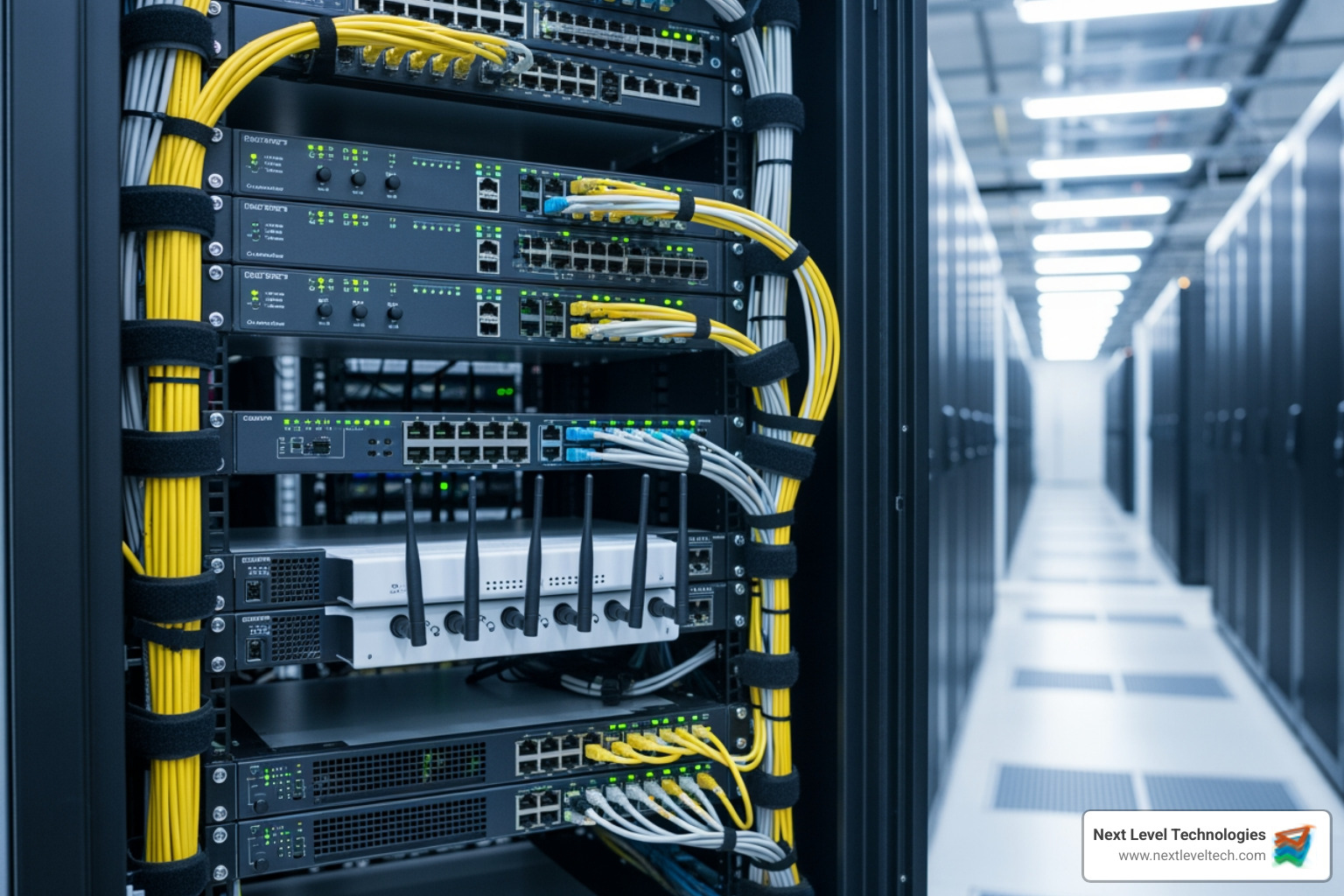
Once you understand the concepts, it's time to meet the actual devices that make networks work. These are the physical pieces of equipment that move data around, connect your devices, and keep everything talking to each other. Whether you're building a small office network or connecting multiple locations across different cities, these devices form the backbone of everything.
At Next Level Technologies, our teams in Columbus, Ohio and Charleston, WV work with these devices every single day. Our staff's extensive cybersecurity training means we don't just connect things—we secure them, optimize them, and make sure they work reliably for our clients. Understanding basic hardware and networking devices isn't just theory for us; it's the foundation of how we keep businesses running smoothly. You can explore more about our approach in our piece on Hubs, Switches, Bridges, and Routers.
These three devices show up in almost every network, but they each have a distinct job to do. Let's break down what makes each one essential:
| Device | Primary Function | OSI Layer | Common Use Case |
|---|---|---|---|
| Router | Connects different networks and directs traffic between them | Layer 3 (Network) | Connecting your office LAN to the internet or linking multiple office locations |
| Switch | Connects devices within the same network and intelligently forwards data | Layer 2 (Data Link) | Connecting computers, printers, and servers within a single office |
| Hub | Broadcasts data to all connected devices (rarely used today) | Layer 1 (Physical) | Legacy networks (mostly replaced by switches) |
Routers are the traffic directors of the networking world. They sit at the boundary between different networks—like between your office network and the internet—and make intelligent decisions about where data should go next. When you send an email or load a website, your router figures out the best path for that data to travel. Routers work at Layer 3 of the OSI model, using IP addresses to make routing decisions. They're essential for connecting Local Area Networks (LANs) to Wide Area Networks (WANs), and they often include built-in security features like firewalls.
Switches are the workhorses inside your network. They connect multiple devices—computers, printers, servers—within the same network and intelligently forward data only to the device that needs it. Unlike the older hubs that just blasted data to everyone, switches learn which devices are connected to which ports and send data directly where it needs to go. This makes networks much faster and more efficient. Switches operate at Layer 2 of the OSI model, using MAC addresses to make forwarding decisions.
Access Points extend your network wirelessly. They connect to your wired network (usually through a switch) and broadcast Wi-Fi signals, allowing laptops, phones, and tablets to connect without cables. In a business environment, multiple access points work together to provide seamless wireless coverage throughout an office or building.
You'll also encounter modems, which convert signals between different types of networks (like translating between your cable provider's signal and the digital data your router understands), and bridges, which connect two separate network segments together. While hubs are mostly obsolete now—replaced by the far more efficient switches—you might still see them mentioned in older documentation or legacy systems.
The beauty of understanding these devices is recognizing that they each solve a specific problem. Need to connect to the internet? You need a router. Want to plug in twenty computers in the same office? A switch handles that. Need wireless connectivity? Add access points. This knowledge directly translates to real-world scenarios, which is exactly what interviewers want to hear. For more on how we implement these concepts, check out our insights on Computer Hardware Networking.
Understanding individual devices is great, but the real magic happens when you see how they work together. Let's follow a data packet's journey from your computer to a website and back—it's a fascinating trip that happens in milliseconds.
When you type a website address and hit enter, your computer creates a data packet containing your request. That packet includes your computer's MAC address (a unique hardware identifier) and the destination IP address (the website's location on the internet). The packet first travels to your network switch, which checks its MAC address table and forwards it to the correct port—in this case, toward your router.
The router receives the packet and examines its destination IP address. It realizes this packet needs to leave your local network and head out to the internet. The router consults its routing table—a map of network paths it maintains—and determines the best route to send the packet. It then forwards the packet through your modem, which converts it into a signal your internet service provider can understand.
As the packet travels across the internet, it passes through multiple routers, each one making decisions about the next best hop. These routers use complex algorithms to choose paths based on factors like network congestion, distance, and connection speed. Eventually, the packet reaches the web server hosting the website you requested.
The server processes your request and creates response packets containing the web page data. These packets make the return journey, following a similar path back to your network's router. Your router recognizes the packets are meant for your computer (based on IP address), forwards them to your switch, and the switch delivers them to your specific computer (based on MAC address). Your browser then reassembles all these packets into the complete web page you see on your screen.
This entire process—involving switches, routers, modems, and potentially wireless access points—happens so fast you don't even notice it. Each device plays its part: switches handle local traffic efficiently, routers make intelligent path decisions, and access points provide wireless connectivity. Understanding this collaboration is what separates someone who just knows definitions from someone who truly grasps basic hardware and networking.
At Next Level Technologies, our staff's extensive cybersecurity training means we understand not just how these devices work, but how to secure each step of this journey. Every handoff between devices is a potential security point, and protecting data as it travels is just as important as getting it to its destination.
Compare the best healthcare learning management platforms for providers with Next Level Technologies, serving Columbus, Ohio and Charleston, WV.
September 19, 2026
Compare cloud backup services with this guide to backup cloud database service architecture, security, and disaster recovery.
September 12, 2026


