From Wires to Wi-Fi: Understanding Computer Networks
March 16, 2026


Compare cloud backup services with this guide to backup cloud database service architecture, security, and disaster recovery.
September 12, 2026

Compare cloud based backup services with our ultimate checklist covering encryption, recovery, and compliance for your business.
September 5, 2026

Protect your business with expert Phishing protection Columbus services from Next Level Technologies, based in Columbus, Ohio and Charleston, WV.
August 27, 2026
March 16, 2026
Network networking definition is simpler than it sounds: a computer network is a group of two or more connected devices that communicate with each other to share resources, exchange files, and enable electronic communication. These connections can happen through cables, wireless signals, or a combination of both.
Quick Definition:
Before networks existed, computer engineers literally had to move large, unwieldy computers around just to share data between them. Today, networks power everything from email and file sharing to cloud services and video conferencing. They're the backbone of modern business operations.
For mid-sized businesses, understanding what networks are and how they work isn't just technical knowledge—it's essential for making smart decisions about IT infrastructure, security, and operational efficiency. A poorly designed network leads to downtime, security vulnerabilities, and frustrated employees. A well-planned network keeps your business running smoothly and securely.
The shift from simple wired connections to complex wireless systems has transformed how we work. Whether you're running a small office with five people or managing multiple locations, grasping the network networking definition helps you understand what you need, what you're paying for, and how to protect your business data.
I'm Steve Payerle, President of Next Level Technologies, and I've spent over 15 years helping businesses in Columbus, Ohio and Charleston, WV build secure, reliable networks. Throughout my career, I've seen how understanding the network networking definition empowers business leaders to make informed decisions about their technology infrastructure and cybersecurity strategies.
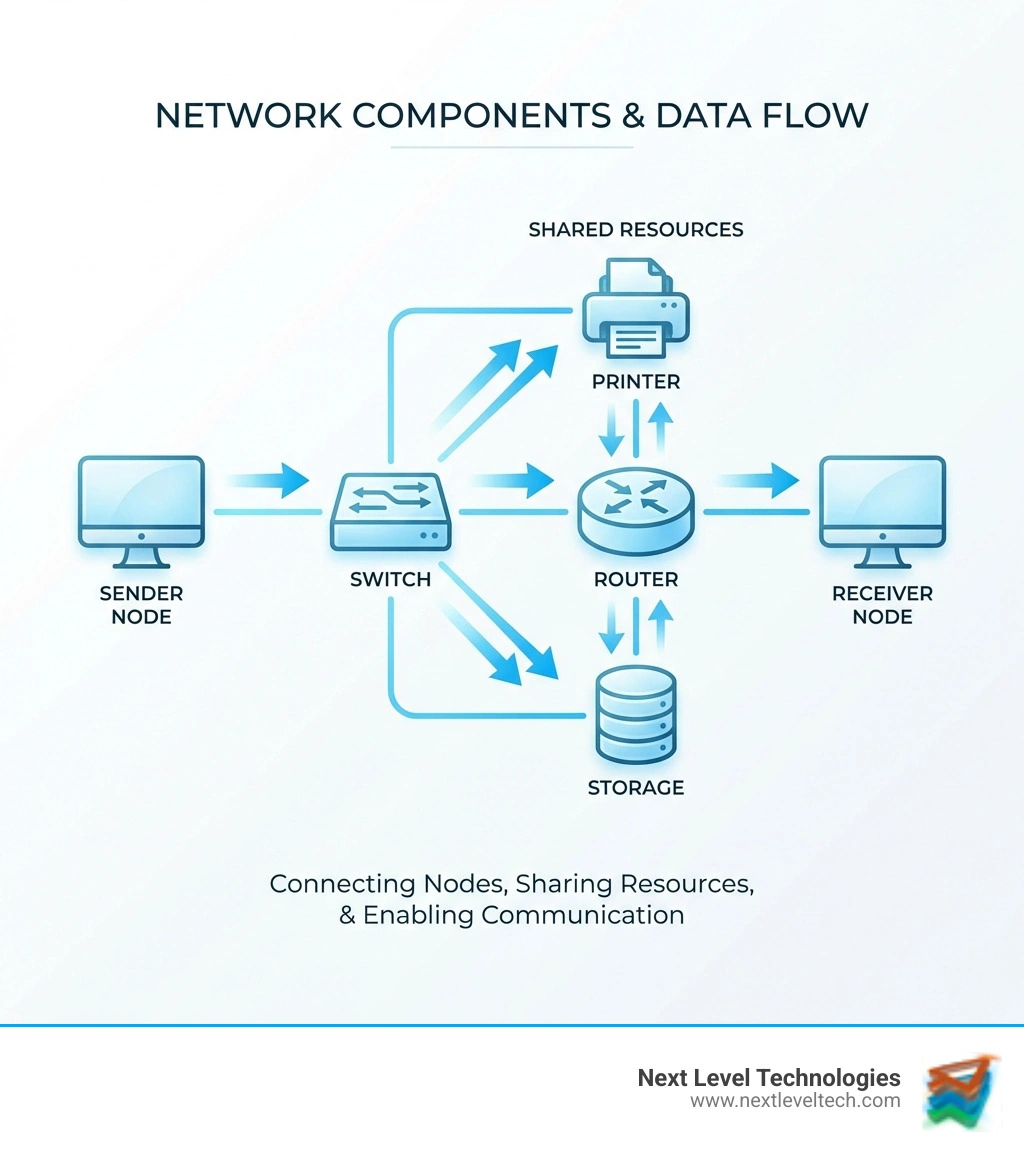
Network networking definition basics:
At its most fundamental level, the NETWORK Definition & Meaning involves an interconnected chain, group, or system. In IT, we refine this to focus on digital telecommunications. The primary purpose of any computer network is to enable the sharing of resources and information.
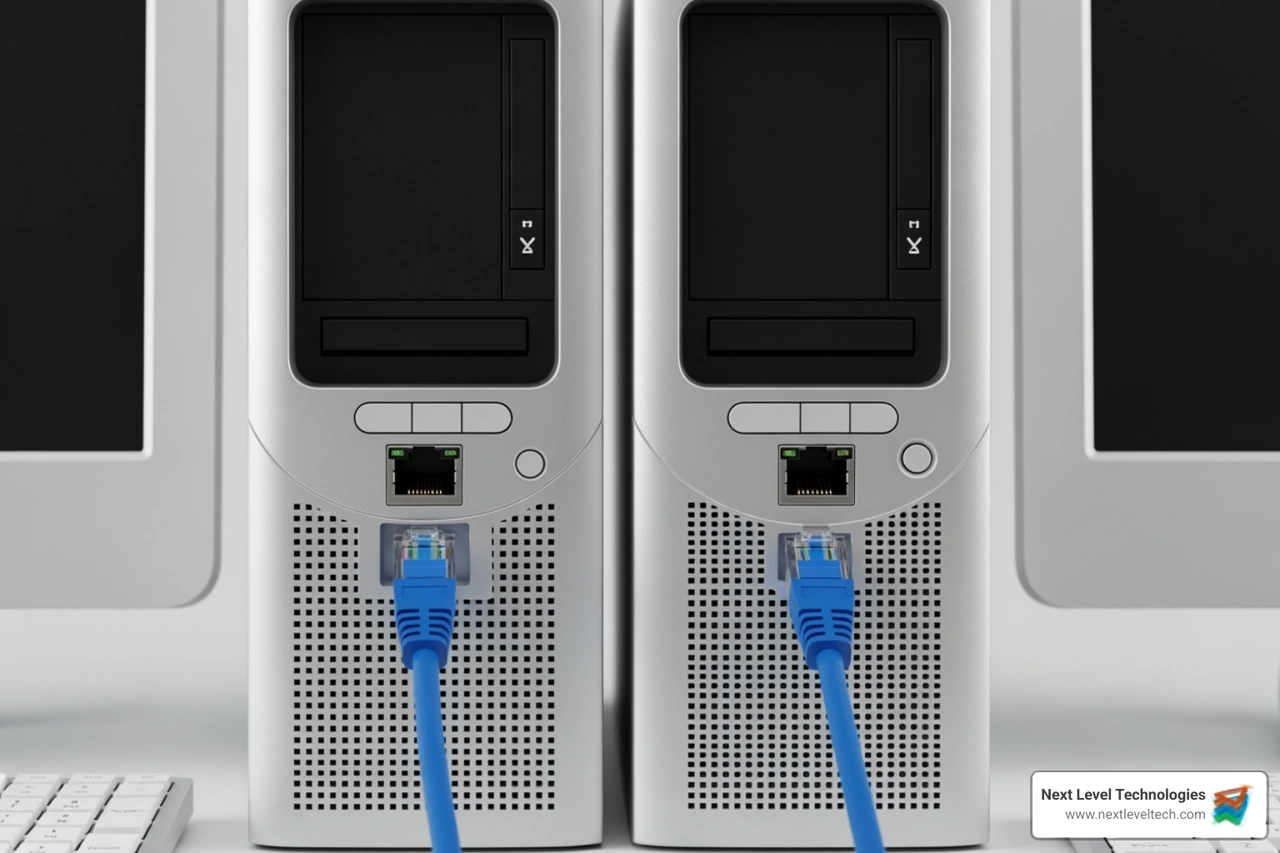
Imagine an office in downtown Columbus where every employee has a computer but no network. To print a document, they would have to save it to a USB drive and walk it over to the one computer physically plugged into the printer. This "sneakernet" approach is exactly what modern networking eliminates. By establishing a basic-computer-hardware-networking-guide, we allow devices to talk to each other seamlessly.
While we often focus on the benefits, a complete network networking definition must acknowledge the challenges that come with maintaining these systems. Our team in Charleston and Columbus often helps businesses weigh these factors when upgrading their infrastructure.
Advantages:
Disadvantages and Challenges:
Resource access: Networks make it easier to share printers, files, and internet connections, but they also require clear user access controls.
Costs: Networking can lower hardware costs per user, though setup and ongoing maintenance may cost more upfront.
Security: A centralized firewall and anti-malware tools can improve protection, but a breach may spread across the network.
Reliability: Redundant storage and backups help protect data, but core system failures can still cause wider downtime.
To understand the network networking definition in a practical sense, you have to look at the "bricks and mortar" of the system. Network infrastructure is typically divided into hardware (the physical devices) and software (the programs that manage the data).
The computer-hardware-networking-complete-guide identifies several critical pieces of equipment:
For a deeper dive into how these devices differ, check out our guide on hubs-switches-bridges-and-routers.
When we talk about networking, we use specific terminology to describe how devices are identified and how data moves. According to Cisco's definition of computer networking, a node is any device that can send, receive, or forward data. This includes your PC, but it also includes printers, servers, and even your VoIP desk phone.
To make sure data gets to the right node, we use two types of addresses:
Data doesn't travel in one giant lump. Instead, it is broken down into small units called packets. Each packet contains a piece of the data, the sender's address, and the receiver's address. Protocols are the set of rules that determine how these packets are formatted and transmitted. The most common protocol suite used today is TCP/IP.
In an era of increasing cyber threats, security is a massive part of our network networking definition. We don't just build networks to be fast; we build them to be fortresses. Our staff in Columbus and Charleston undergoes extensive cybersecurity training to implement these basic-hardware-and-networking security measures:
Networks are categorized by their scale and how they are organized. When we provide computer-hardware-networking-services-tips, we often start by identifying which "scale" of network a client actually needs.
Beyond scale, we look at Architecture:
Topology refers to the physical or logical layout of the network. Choosing the right topology is crucial for "fault tolerance"—the ability of the network to keep working even if one part fails.
Networking has come a long way since the 1950s. The first commercial modem, the Bell 101, released in 1958, could only transmit data at 110 bits per second. Today, fiber optic networks in Columbus can reach speeds of 10 gigabits per second—nearly 100 million times faster!
The history of networking is a fascinating journey. In The Invention of Science by David Wootton, the concept of a "scientific network" is described as a sociological reality where researchers shared discoveries. This human desire for connection eventually led to the ARPANET in the late 1960s, the precursor to our modern Internet.
Today, we are seeing the rise of:
The primary purpose is resource sharing. This includes sharing hardware (printers, scanners), sharing data (files, databases), and enabling communication (email, video conferencing, instant messaging). By linking computers, businesses can operate more efficiently and reduce the cost of redundant equipment.
Computers communicate using protocols, which are standardized sets of rules. Data is broken into packets, labeled with IP and MAC addresses, and sent through switches and routers. The receiving device uses the protocol rules to reassemble the packets into the original file or message.
The main difference is geographic scale. A LAN (Local Area Network) is typically contained within one building or a small group of buildings (like an office in Worthington, OH). A WAN (Wide Area Network) connects multiple LANs over long distances, often using leased telecommunication lines, satellites, or the public internet.
Understanding the network networking definition is about more than just knowing what a router does—it's about understanding the nervous system of your business. From the early days of the Bell 101 modem to the cutting-edge AI-driven systems of today, networks have evolved to become the most critical infrastructure for any modern organization.
At Next Level Technologies, we specialize in taking the complexity out of networking. Whether you are in Charleston, WV, Columbus, OH, or Worthington, OH, our team provides the technical experience and extensive cybersecurity training needed to keep your business connected and protected. We don't just fix computers; we build the foundations that allow your business to grow.
If you're looking for a partner to manage your IT infrastructure so you can focus on your business, we’re here to help. Our Managed IT Services and IT Support are designed to give you peace of mind, knowing your network is fast, reliable, and secure. Let us take your business to the next level.
Compare cloud backup services with this guide to backup cloud database service architecture, security, and disaster recovery.
September 12, 2026
Compare cloud based backup services with our ultimate checklist covering encryption, recovery, and compliance for your business.
September 5, 2026
