The ABCs of Computer Hardware and Networking: Learn the Essentials
December 2, 2025


Upgrade your healthcare claims management for maximum accuracy with Next Level Technologies, serving Columbus, Ohio and Charleston, WV.
October 10, 2026

Discover how a healthcare management services organization boosts practice efficiency, cuts overhead, and protects clinical autonomy.
October 3, 2026

Master denial management in medical billing with proven strategies to reduce denials, boost appeals success, and protect revenue cycle performance.
September 25, 2026
December 2, 2025
Basic computer hardware and networking form the foundation of every modern business. Understanding these essentials helps you make informed technology investments, troubleshoot common issues, and communicate effectively with IT professionals.
Here's a quick overview:
A basic understanding of how computers operate helps you troubleshoot problems and become a more informed consumer. This knowledge also helps you recognize when system slowdowns or connectivity issues signal deeper problems that need professional attention.
The global computer hardware market reached $705.17 billion in 2023 and continues to grow, reflecting how critical these systems are. Yet many businesses struggle with outdated technology because they lack the foundational knowledge to make strategic IT decisions.
I'm Steve Payerle, President of Next Level Technologies. Since 2009, I've been helping businesses in Columbus, Ohio and Charleston, WV optimize their basic computer hardware and networking infrastructure. Our team's extensive technical experience and cybersecurity training has shown us that when business leaders grasp these fundamentals, they make smarter IT decisions and recognize potential issues before they become costly disruptions.
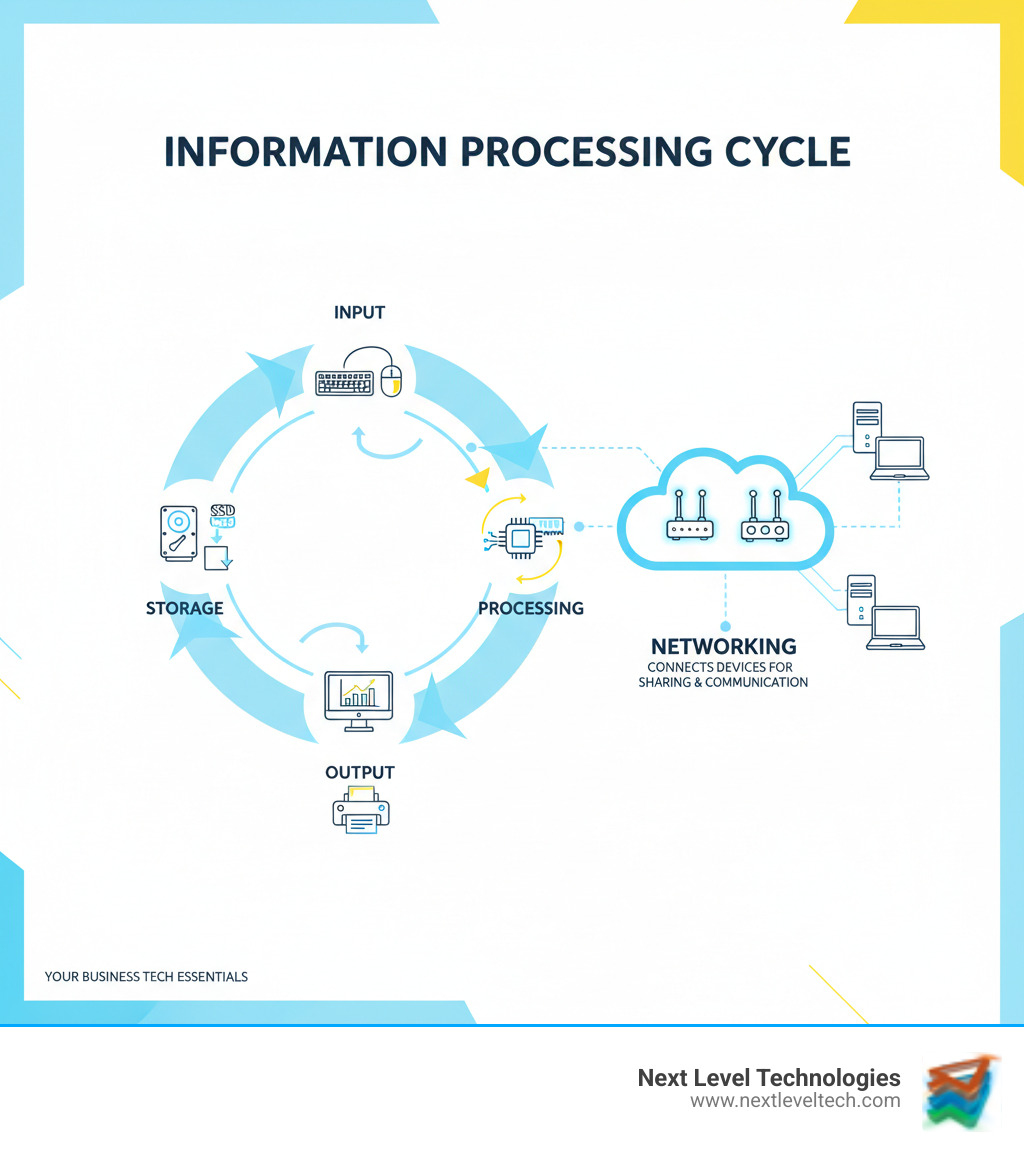
When we talk about basic computer hardware and networking, hardware refers to the tangible pieces you can physically touch. It's the body of your computer system, and every piece plays a specific role.
Hardware and software are different yet completely codependent. Think of hardware as a musician and software as the sheet music. The hardware has the capability, but it needs software to provide instructions. Conversely, software can't execute commands without hardware.
| Feature | Hardware | Software |
|---|---|---|
| Nature | Physical, tangible components | Logical, intangible instructions/programs |
| Function | Performs tasks, provides resources | Tells hardware how to perform tasks |
| Lifespan | Subject to wear and tear, eventually degrades | Can be updated, patched, or replaced digitally |
| Examples | CPU, RAM, Motherboard, Keyboard, Monitor | Operating System (Windows), Microsoft Word, App |
Inside a computer case is an ecosystem of components working together. Understanding their roles helps you make smarter technology investments.
External peripherals are how we interact with our computers.
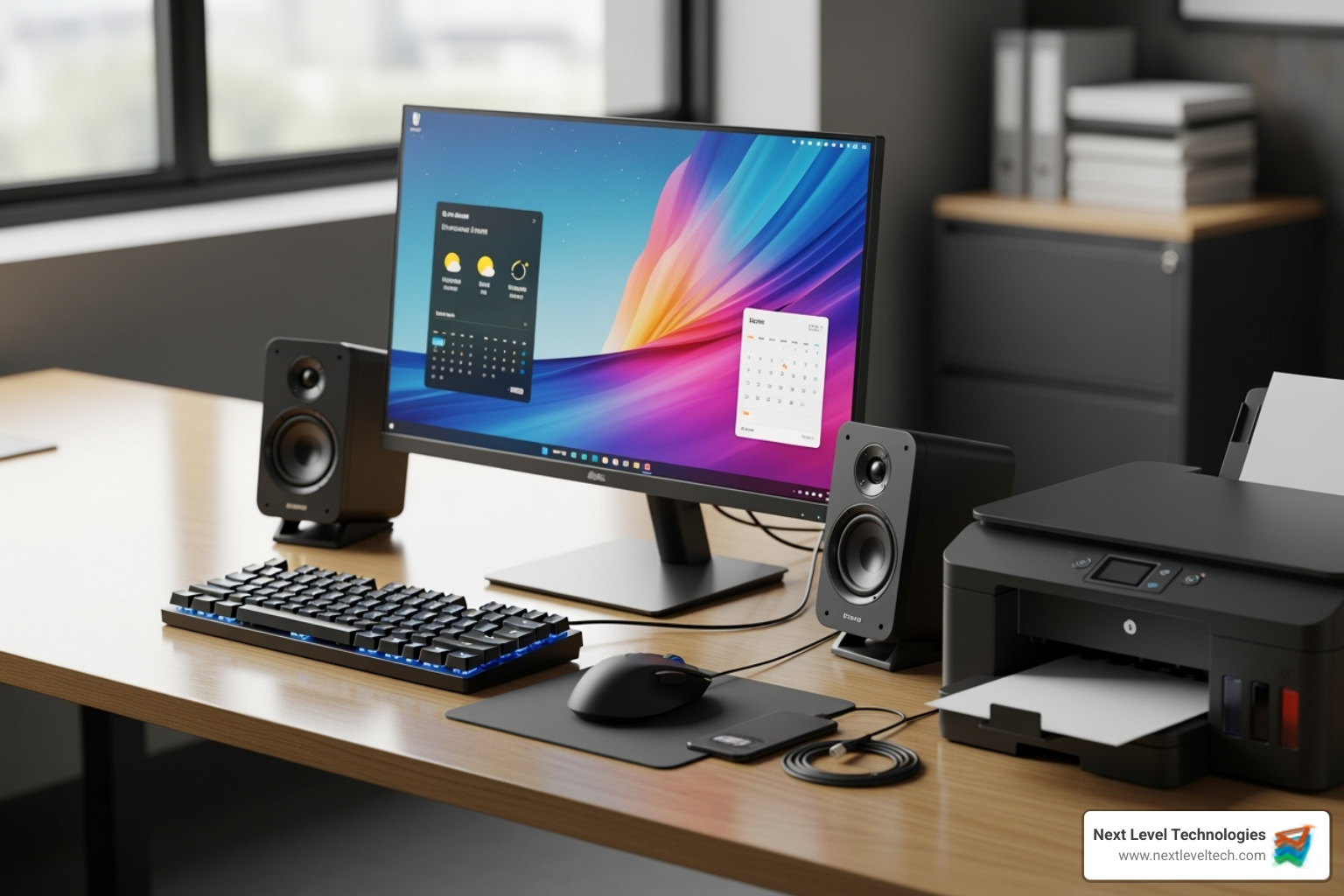
Understanding these physical components—the foundation of basic computer hardware and networking—helps you recognize when something is wrong and communicate effectively with IT professionals.
Your computer's components collaborate to bring your digital world to life through the information processing cycle: Input, Processing, Output, and Storage. When you type on your keyboard (Input), the data goes to the CPU for processing. The CPU uses RAM as a temporary workspace to execute commands. The results then appear on your monitor (Output). If you save your work, it moves to a storage drive like an SSD (Storage).
The motherboard acts as the nervous system for this operation. It's covered with electrical pathways called "data buses" that serve as highways for information to travel between the CPU, RAM, storage, and other components. Without these connections, the parts couldn't communicate.
This trio is the powerhouse of your computer. The CPU operates as the brain, executing billions of instructions per second through a continuous instruction cycle (Fetch, Decode, Execute). This is why processor speed, measured in GHz, is so important. Multi-core processors act like several brains working at once, allowing you to multitask smoothly.
RAM serves as short-term memory, or the active workspace. When you open a program, it moves from storage into RAM so the CPU can access it instantly. More RAM means a bigger workspace, allowing you to run more applications without slowdowns. But RAM is volatile memory; its contents disappear when you power down, which is why saving your work is crucial.
Storage provides long-term, non-volatile memory that retains data even when powered off. Traditional HDDs use spinning platters, offering large capacity, while SSDs use flash memory for a dramatic speed advantage. When software instructions are executed, the CPU reads them from storage, loads them into RAM for quick access, processes them, and stores the results back to the drive.
Your computer needs to communicate with the outside world, and that's where networking hardware comes in. Every networked computer requires a Network Interface Card (NIC) to translate digital data into signals that can travel over cables or through the air. Most modern motherboards have a built-in NIC.
The Ethernet port is where you plug in a network cable for a reliable, high-speed wired connection. For wireless freedom, your computer uses a Wi-Fi adapter to send and receive data as radio waves.
When you connect to a network, your NIC packages your computer's data into network-friendly formats. However, hardware can't work with your operating system without drivers. A driver is specialized software that acts as an interpreter between your OS and each hardware component. Without the correct drivers, your hardware may not work at all.
At Next Level Technologies, our team's extensive technical experience and cybersecurity training has shown us that many networking issues stem from outdated drivers or misconfigured hardware. Understanding these fundamentals helps you recognize when connectivity problems need professional attention.
A computer network is a group of linked devices that work together to share information and resources. It's what allows your laptop to talk to your printer, your phone to grab files from your desktop, and your tablet to stream video from the internet. This interconnected ecosystem enables resource sharing, communication, and data exchange.
For businesses, networking saves money by sharing devices like printers, ensures everyone works from up-to-date information on a central server, and enables remote work and collaboration. Modern e-commerce, online learning, and scientific research all rely on robust basic computer hardware and networking infrastructure.

Networking has its own vocabulary, but the concepts are straightforward.
Your network relies on dedicated hardware to function properly.
Networks can be organized in different ways depending on your needs.
The client-server model is dominant in business. Powerful servers provide resources (files, websites, applications) to clients (your desktop computer, web browser) that request them. This centralized approach simplifies security, maintenance, and scalability, which is why our team at Next Level Technologies typically recommends it for businesses in Columbus, Ohio and Charleston, WV.
The alternative is a peer-to-peer (P2P) network, where there is no central server. Each device can act as both a client and a server, sharing resources directly with others. P2P is simple for small home networks but becomes difficult to manage and secure as it grows.
The history of computer hardware is one of rapid advancement. Early computers filled entire rooms and used fragile vacuum tubes. The invention of the transistor, followed by integrated circuits and microprocessors, sparked a revolution. This progress was famously captured by Moore's Law, which observed that the number of transistors on a microchip doubles approximately every two years, predicting decades of exponential growth in computing power.
Today, the global computer hardware market reached $705.17 billion in 2023 and is projected to climb to $858.28 billion by 2028. This reflects how deeply technology is embedded in our lives. Current trends are pushing boundaries with AI-specific hardware and the emergence of quantum computing.
Hardware evolution is reshaping what's possible for businesses.
Rapid technological progress has a downside: a growing mountain of electronic waste (e-waste).
Computer hardware contains toxic materials like lead and mercury. When improperly disposed of in landfills, these substances can leach into soil and groundwater, posing serious environmental and health risks.
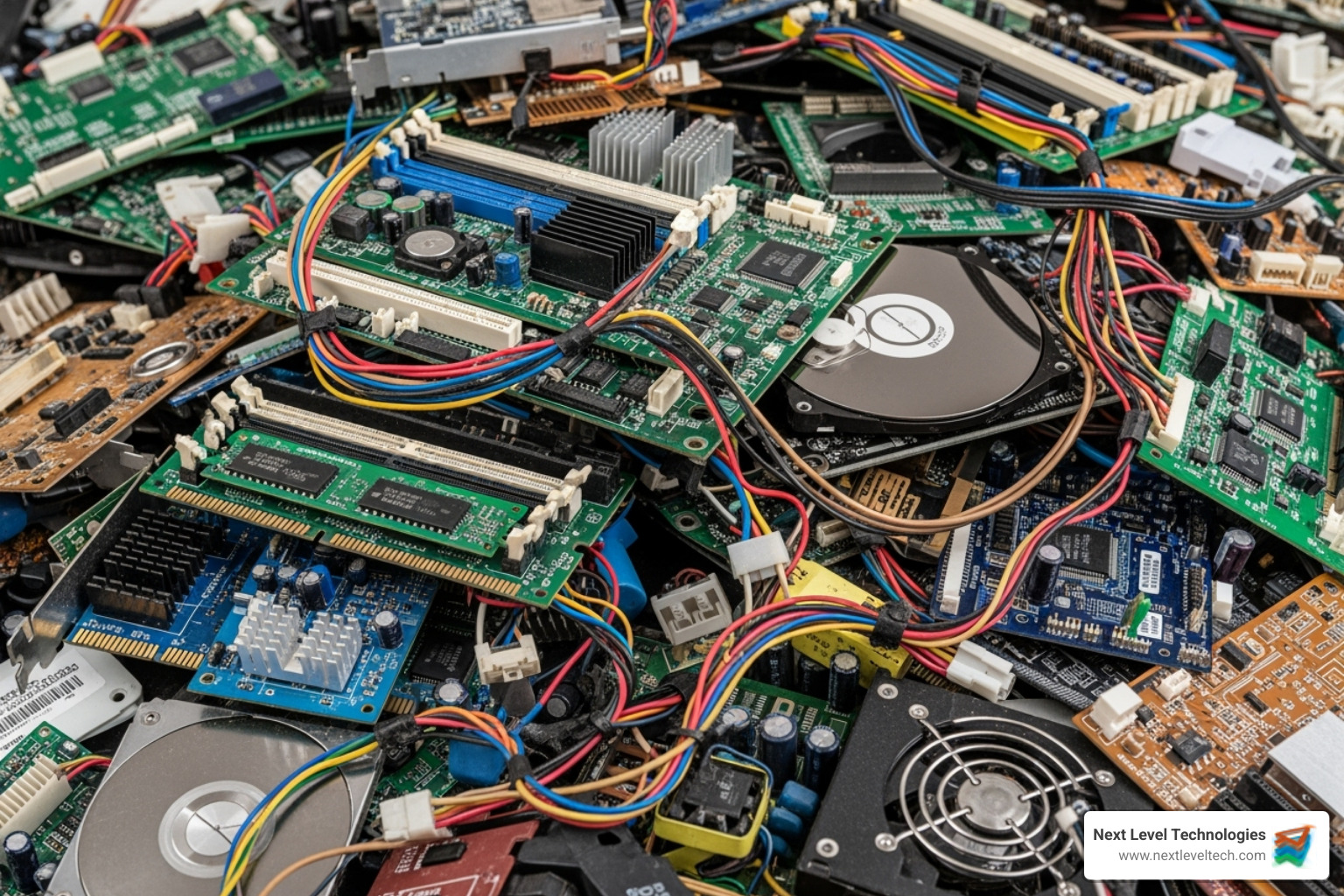
Fortunately, recycling computer hardware properly makes a real difference. It allows for the recovery of valuable materials like gold, silver, and copper, reducing the need for destructive mining. It also prevents toxic chemicals from contaminating the environment.
Sustainable practices are key. You can extend your hardware's lifespan through maintenance, donate functional older equipment, and choose manufacturers with strong environmental commitments. Most importantly, ensure end-of-life hardware goes to a certified e-waste recycler. For guidance, you can reference this guide on how to recycle your old computer.
At Next Level Technologies, we help clients in Columbus, Ohio and Charleston, WV manage hardware upgrades with both performance and sustainability in mind. Our team's extensive technical experience allows us to extend the life of existing equipment and guide proper disposal through certified recycling channels.
Over the years, our clients in Columbus, OH and Charleston, WV often ask similar questions about their technology. Here are answers to some of the most common ones we hear about basic computer hardware and networking.
This is a common point of confusion. Here's a simple way to think about it:
Think of a switch as your office's internal phone system, connecting colleagues within the building. The router is the main phone line connecting your entire building to the outside world. When your PC sends a job to the printer down the hall, your switch handles it. When you browse a website, your router directs that traffic to and from the internet.
Think of RAM as your desk space. A tiny desk forces you to constantly shuffle papers, while a bigger desk lets you spread out and access everything easily.
More RAM provides your computer with a larger temporary workspace. This allows you to run more applications simultaneously and work with larger files without your computer slowing down or freezing. The CPU can access data from RAM much faster than from a storage drive.
If you keep many browser tabs open while running email, spreadsheets, and video calls, more RAM will make a noticeable difference. Our team's extensive technical experience has shown that a RAM upgrade is one of the most cost-effective ways to improve an aging computer's performance.
An IP (Internet Protocol) address is a unique numerical label assigned to each device on a network. It functions like a mailing address, identifying a device and its location so data can be sent to the correct destination.
Without an IP address, information sent over a network would have no idea where to go. When you visit a website, your computer sends a request from its IP address to the website's IP address. The network uses these addresses to route the webpage back to your specific device.
Every device on your network—your computer, smartphone, and printer—has its own IP address. This is how your router knows where to send each piece of data. When our cybersecurity-trained team troubleshoots network issues, checking IP addresses is a fundamental step to ensure devices are communicating correctly.
We've explored the essentials of basic computer hardware and networking, from the CPU in your computer to the routers connecting your office. These are the building blocks of your business's digital operations.
The key takeaway is that hardware and networking are partners. Powerful hardware is limited without a solid network, and a great network can't fix failing hardware. When they work in harmony, your business runs efficiently and securely.
This knowledge empowers you to make smarter decisions. You can better identify the root cause of slowdowns, ask the right questions when investing in new technology, and recognize warning signs before they become costly disasters.
That's where we come in. I'm Steve Payerle, President of Next Level Technologies. Since 2009, our team has helped businesses in Columbus, Ohio and Charleston, WV steer these challenges. Our extensive technical experience and cybersecurity training mean we don't just fix problems—we help you build a robust and secure IT foundation.
When you face advanced IT challenges or need comprehensive support to keep your business running smoothly, a professional partner is essential. Next Level Technologies provides expert managed IT services and IT support to keep your business secure and efficient.
We're here to help you reach your next level with the technology and the confidence to use it effectively.
Upgrade your healthcare claims management for maximum accuracy with Next Level Technologies, serving Columbus, Ohio and Charleston, WV.
October 10, 2026
Discover how a healthcare management services organization boosts practice efficiency, cuts overhead, and protects clinical autonomy.
October 3, 2026

