Essential Practices for Computer Hardware and Network Maintenance
November 11, 2026

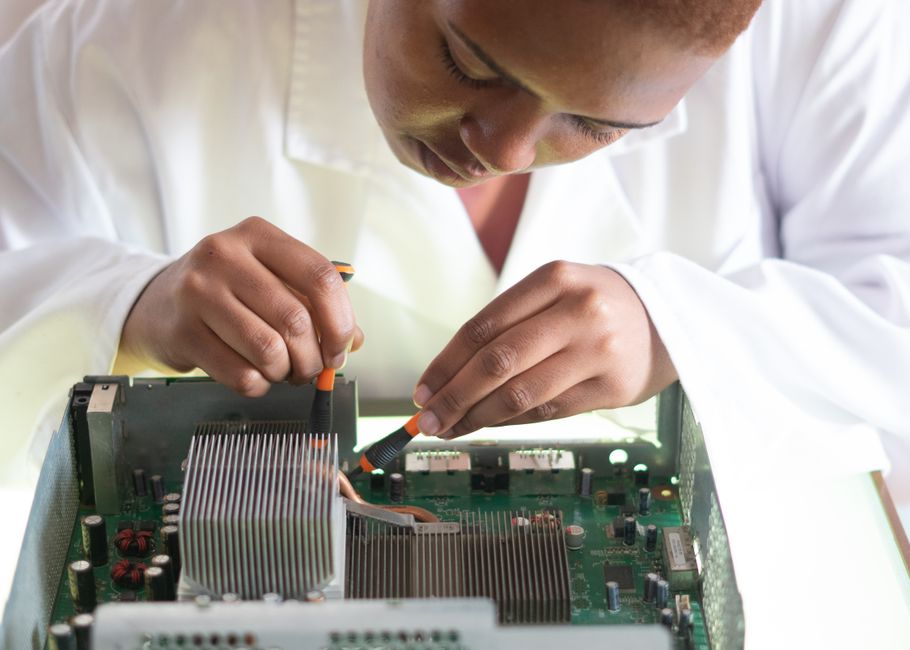
Essential Practices for Computer Hardware and Network Maintenance - Learn about computer hardware and network maintenance
November 11, 2026

Discover HIPAA compliant email solutions to eliminate regulatory risks in your clinical inbox. Next Level Technologies serves Columbus, OH & Charleston, WV.
November 7, 2026

Discover how hardware and software components of computer network systems work together for seamless data flow and security.
November 2, 2026
November 11, 2026
Effective computer hardware and network maintenance starts with a simple routine: keep an inventory of devices, inspect hardware for wear and heat, install approved updates, check backups, and monitor network health. When something fails, isolate the problem before replacing parts or changing settings. Record what you found and how you fixed it.
That routine helps businesses catch small problems before they disrupt work. Next Level Technologies supports this work with experienced IT staff and cybersecurity training. Our main location is in Columbus, Ohio, with a second location in Charleston, West Virginia.

Glossary for computer hardware and network maintenance:
Building a dependable IT environment requires structured standards rather than guesswork. Internationally recognized vocational frameworks, such as the Craftsmen Training Scheme (CTS), demonstrate how comprehensive training builds real-world technical competence. This one-year framework mandates 1,200 notional training hours: 840 hours dedicated to hands-on practical skills, 240 hours to theoretical knowledge, and 120 hours to essential workplace employability skills, paired with 150 hours of mandatory on-the-job training.
Our technicians draw upon years of field experience and rigorous ongoing cybersecurity training to apply these foundational principles in real-world business environments. Whether managing physical equipment in Columbus or maintaining network backbones across Charleston, rigorous safety and operational standards protect both personnel and sensitive infrastructure.
Physical and electrical safety protocols are the first line of defense during any hardware intervention:
Reviewing a basic computer hardware and networking guide gives organizations a clear framework for establishing these preventive safety standards and documentation routines across their internal teams.

Modern computing endpoints follow the modular principles of the classic Von Neumann architecture, processing data through an interconnected chain of processing units, working memory, internal bus systems, and secondary storage controllers. Maintaining these endpoints demands a disciplined diagnostic cycle to extend device longevity and prevent unexpected failure.
Routine preventive maintenance schedules prevent dust accumulation, thermal throttling, and intermittent electrical faults. Our team pairs hands-on technical experience with systematic asset inventory management, ensuring every workstation and laptop undergoes regular thermal paste replacement, fan cleaning, and diagnostic benchmarking.
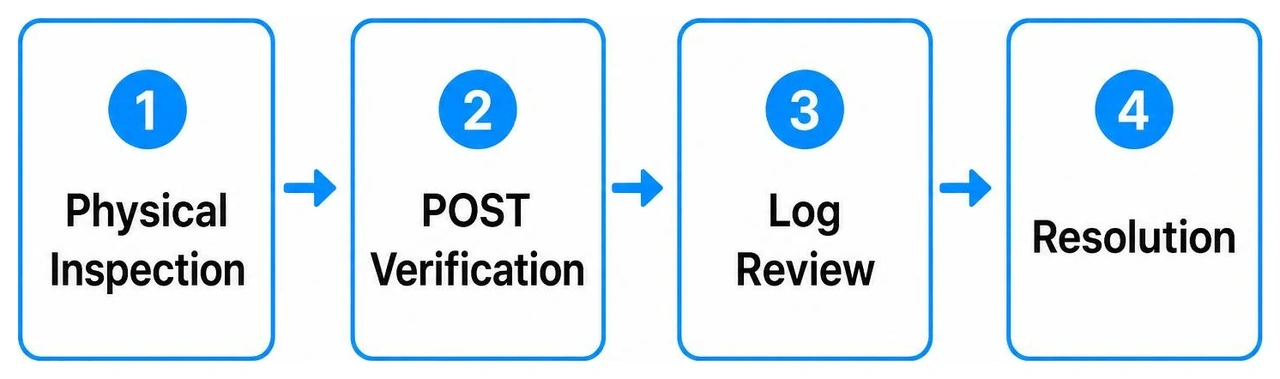
When desktop computers or portable laptops fail to boot, systematic fault isolation prevents unnecessary part replacements. Technicians follow a structured component troubleshooting workflow:
For a deeper dive into resolving persistent workstation faults, exploring computer hardware problems and solutions helps isolate elusive motherboard, memory, and power delivery errors.
Peripherals are essential to everyday business operations, yet they are frequent sources of help desk tickets. Enterprise maintenance encompasses a broad range of external hardware:
Deploying proven computer hardware solutions ensures that peripheral devices, expansion interfaces, and display outputs remain reliable across diverse operating environments.
Operating systems bridge physical hardware and user applications. Technicians must understand how to deploy, configure, and secure Windows and Linux environments to maintain organizational integrity and defend against unauthorized access.
Deploying an operating system requires careful preparation, beginning with secure partitioning schemes using modern GUID Partition Table (GPT) standards combined with Unified Extensible Firmware Interface (UEFI) Secure Boot mechanisms. Technicians configure dual-boot environments with automated bootloaders (such as GRUB) when mixed development or administration environments are required.
Following base installation, technicians install certified hardware drivers to prevent device instability. System security baselines are established immediately by enabling local drive encryption (such as BitLocker or LUKS), disabling unused system services, configuring host-based firewalls, and enrolling endpoints into automated patch management rings.
Centralized network environments rely on robust server administration across both Windows Server and enterprise Linux environments:
A resilient network infrastructure forms the backbone of modern business communication. Proper installation, physical cable termination, and logical segmentation ensure high data throughput and robust defense-in-depth security.
Designing and maintaining a network requires attention to both physical infrastructure and logical routing frameworks:
Deploying reliable network services requires precise configuration and continuous security oversight. Technicians establish DHCP scope reservations, configure redundant upstream DNS forwarders, and conduct comprehensive Wi-Fi site surveys using specialized RF mapping tools to eliminate dead zones and co-channel interference.
Wireless networks are secured using WPA3-Enterprise encryption protocols with 802.1X RADIUS authentication, preventing unauthorized access. Boundary firewalls are configured with strict ingress and egress inspection rules, stateful packet filtering, and MAC address access control lists. Technicians perform routine network health checks to review bandwidth consumption, switch port error counts, and packet drop anomalies before they impact end users.
Modern IT maintenance extends beyond physical chassis into hypervisors and distributed cloud platforms. Virtualization maximizes hardware utilization by decoupling workloads from physical host servers.
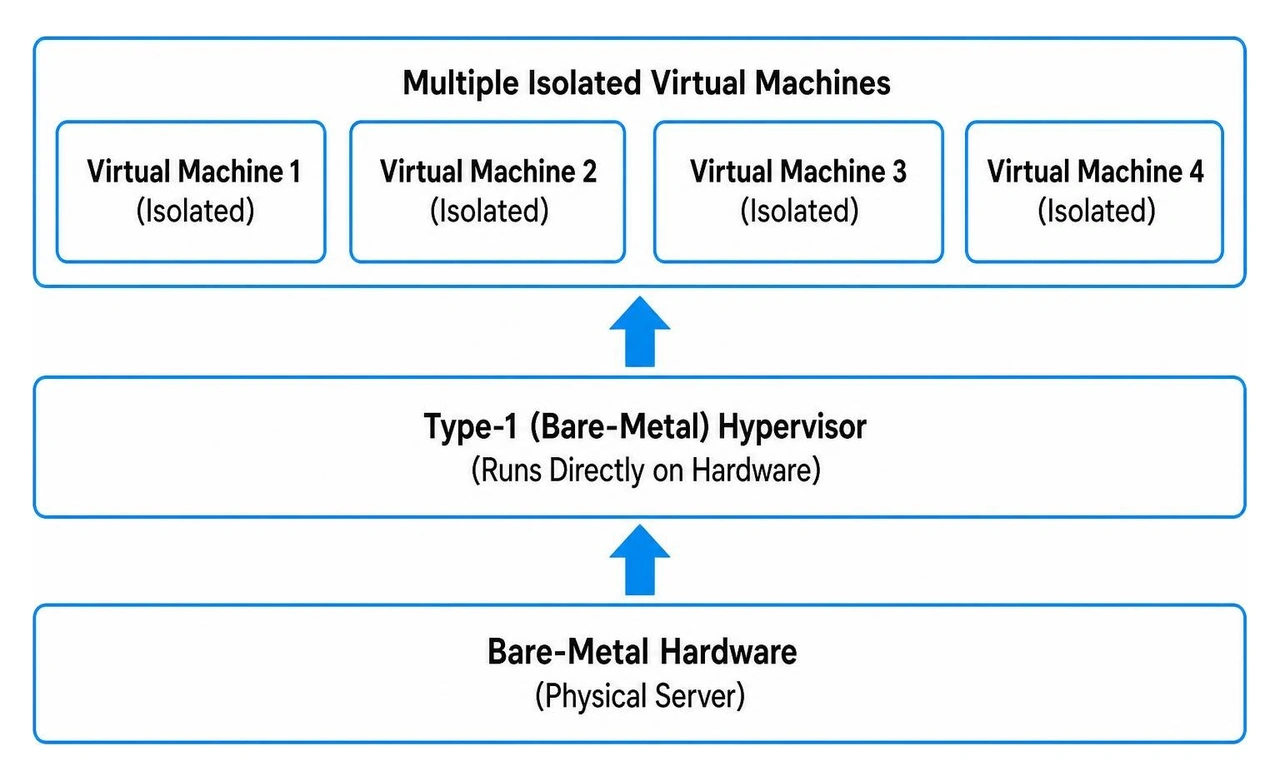
Our technicians leverage their extensive cybersecurity training and deep infrastructure experience to design and maintain virtualized ecosystems:
Consulting a hardware networking complete guide provides a comprehensive look at connecting on-premises virtualized infrastructure with distributed cloud assets.
Before servicing any internal components, completely disconnect the system from all AC power sources and press the chassis power button for ten seconds to drain residual electricity stored in power supply capacitors. Technicians should always wear a grounded anti-static wrist strap, use insulated hand tools, avoid wearing loose jewelry, and adhere to lockout/tagout protocols when maintaining shared server equipment.
Businesses should conduct quarterly physical inspections to clean dust from cooling fans, check heatsink mountings, and inspect internal cabling. Monthly maintenance schedules should handle operating system patch deployments, firmware updates, and backup integrity validations. Comprehensive network health checks and RF wireless surveys should be performed at least semi-annually.
IPv4 uses a 32-bit numerical addressing architecture written in dotted-decimal format (such as 192.168.1.1), providing approximately 4.3 billion unique addresses, which are now largely exhausted. IPv6 uses a 128-bit hexadecimal addressing format (such as 2001:0db8:85a3::8a2e:0370:7334), providing an astronomically large address space, integrated IPSec security capabilities, and Stateless Address Autoconfiguration (SLAAC) to eliminate the need for traditional NAT routing.
Proactive computer hardware and network maintenance protects businesses from costly downtime, data loss, and cybersecurity breaches. Consistently monitoring physical endpoints, maintaining structured cabling, securing operating systems, and leveraging scalable cloud resources gives organizations the technical foundation needed to operate efficiently.
Next Level Technologies brings over two decades of technical experience and extensive cybersecurity training to every engagement. From our main location in Columbus, Ohio, to our second location in Charleston, West Virginia, our local teams deliver reliable, enterprise-grade technology solutions that keep your infrastructure resilient and secure. Discover how our proactive managed IT services and IT support can optimize your hardware and network maintenance strategy.
Discover HIPAA compliant email solutions to eliminate regulatory risks in your clinical inbox. Next Level Technologies serves Columbus, OH & Charleston, WV.
November 7, 2026
Discover how hardware and software components of computer network systems work together for seamless data flow and security.
November 2, 2026
