The Best Phishing Protection Services in Columbus
August 27, 2026


Upgrade your healthcare claims management for maximum accuracy with Next Level Technologies, serving Columbus, Ohio and Charleston, WV.
October 10, 2026

Discover how a healthcare management services organization boosts practice efficiency, cuts overhead, and protects clinical autonomy.
October 3, 2026

Master denial management in medical billing with proven strategies to reduce denials, boost appeals success, and protect revenue cycle performance.
September 25, 2026
August 27, 2026
To prevent phishing attacks, Columbus businesses should use a layered approach: filter malicious messages, require multifactor authentication, train employees to spot red flags, run regular phishing and SMiShing simulations, and give staff a fast way to report suspicious emails or texts.
Phishing protection Columbus services should address both email and mobile threats. A fake account-suspension email, fraudulent vendor invoice, or text posing as a delivery company can steal credentials, trigger a payment, or install malware in minutes.
This matters because mobile devices often hold both personal and work accounts. SMS phishing, also called SMiShing, takes advantage of the trust people place in text messages and the small screens that can hide suspicious links.
Next Level Technologies, with its main location in Columbus, Ohio and a second location in Charleston, WV, helps organizations build practical defenses backed by technical experience and extensive cybersecurity training. The goal is not simply to block threats. It is to help employees recognize, report, and stop them before they become an incident.
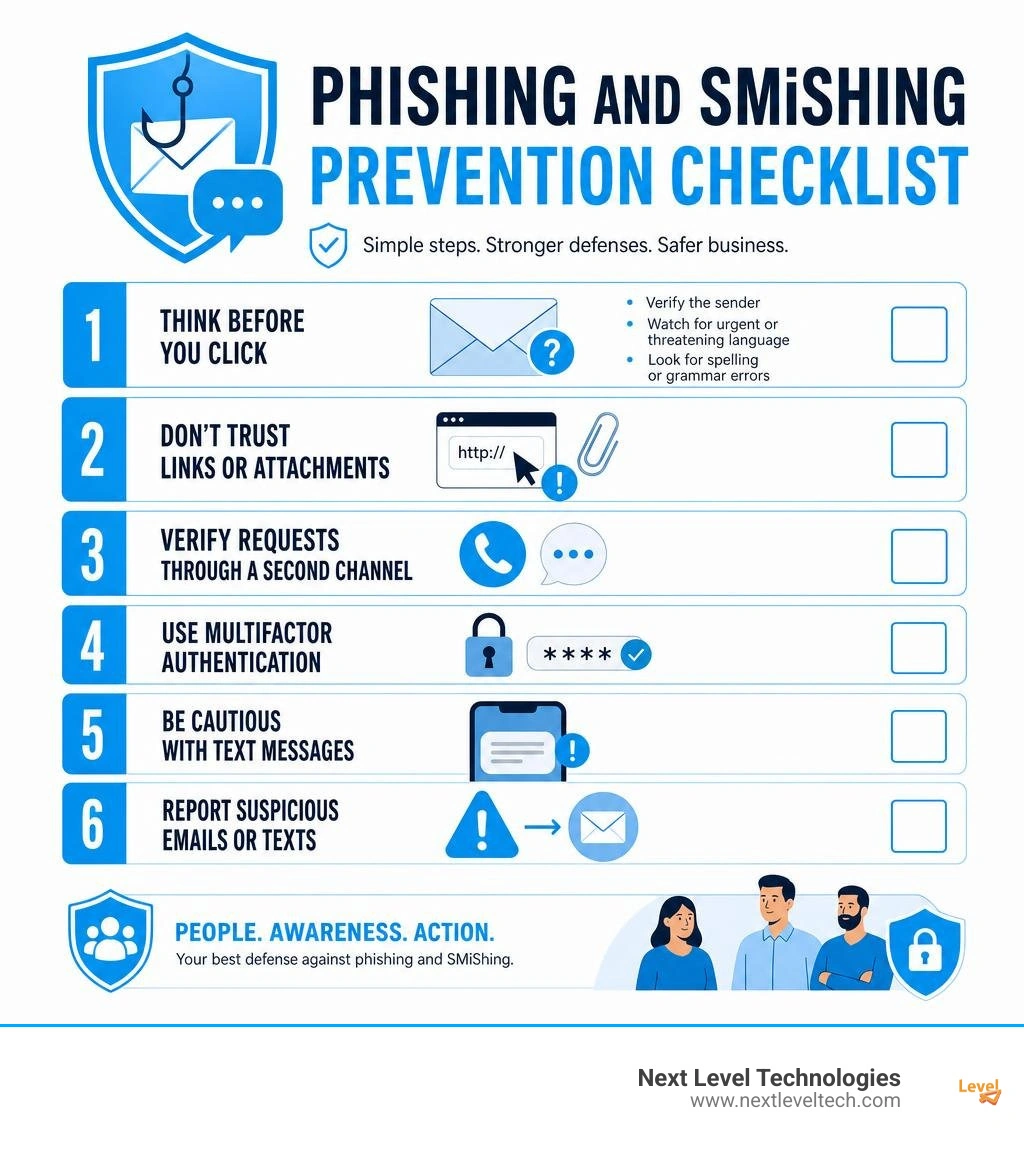
Phishing is no longer just a poorly written email claiming you won a distant lottery. In August 2026, social engineering attacks are highly sophisticated, targeted, and distributed across multiple digital communication channels. Attackers study organizational charts, mimic authentic brand identities, and use psychological manipulation to bypass traditional perimeter security.

Historically, phishing caused financial losses estimated at over $26 billion in just a three-year span between 2016 and 2019, and nearly 71% of phishing attacks were explicitly motivated by direct financial gain. Furthermore, roughly 29% of all documented breaches involved stolen credentials, while nearly 33% involved social engineering tactics. Small and mid-sized enterprises often assume they fly under the radar of cyber syndicates, yet nearly 43% of breaches target small-scale businesses and regional organizations.
Threat actors realize that smaller organizations frequently lack dedicated round-the-clock security personnel. Modern hybrid and remote work arrangements throughout Ohio have expanded the attack surface even further. When employees check their corporate email while on public Wi-Fi or manage work communications via personal smartphones, they are exposed to complex attack vectors like those explored in our guide on Guarding Against SLAM Phishing: Strategies for 2024.
While traditional email phishing remains prevalent, SMS phishing—or SMiShing—has surged dramatically as a primary delivery mechanism for credential theft and malware distribution. The fundamental difference lies in the delivery medium and user psychology:
Cybercriminals constantly customize their deceptive scenarios to target Ohio organizations, non-profits, healthcare clinics, and professional firms. Some of the most prevalent scams include:
Defending your organization against deceptive attacks requires moving beyond basic junk folders. Securing an enterprise calls for multi-layered Cybersecurity Services Columbus that blend technical gateways, proactive monitoring, and behavioral training.
A comprehensive defense model does not rely on a single defensive tool. Instead, it places defensive checkpoints at every stage of message delivery and user interaction.
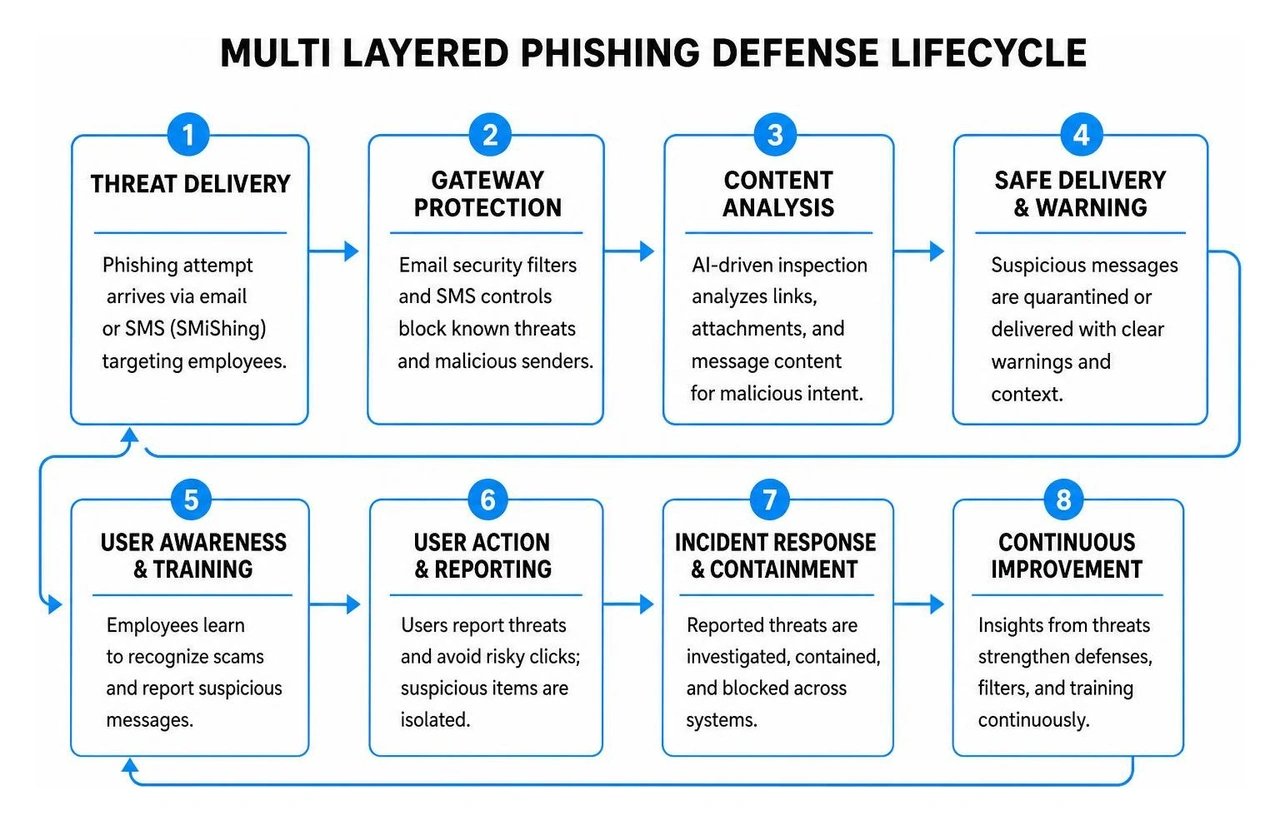
When selecting business-grade anti-phishing protection, look for enterprise features that actively mitigate threats before they reach an employee's screen:
For organizations looking to deploy robust defenses against advanced zero-day exploits, integrating dedicated Advanced Threat Protection Solutions provides critical visibility and automated mitigation capabilities.
Even the best technical filters cannot catch 100% of social engineering attempts. The ultimate line of defense is your workforce. Transforming employees into an active security asset requires consistent, educational security awareness training combined with simulated phishing attacks.
Effective simulation programs evaluate employee reactions to real-world scenarios, such as fake package tracking texts, spoofed executive requests, or fake login verification portals. When an employee clicks a simulated link, they receive immediate, non-punitive training showing the specific indicators they missed. Over time, recurring simulations build sharp red-flag recognition:
Even with strong protections, an employee might occasionally click a malicious link or enter credentials into a spoofed landing page. Speed is paramount. Having an established, straightforward incident response protocol dramatically limits the blast radius of an attack.
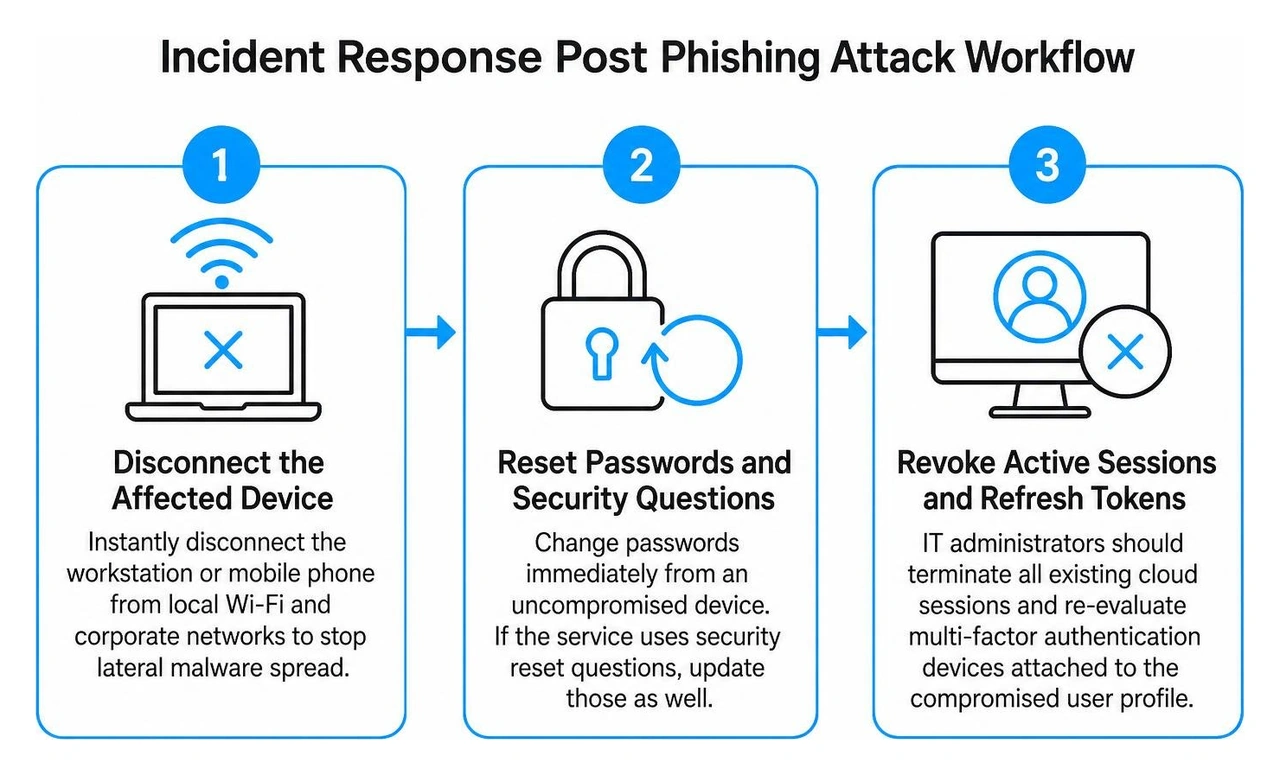
When an attack occurs, take these steps immediately:
Clear reporting protocols—such as those implemented within the Columbus State Community College security framework—highlight the value of rapid institutional reporting. Forwarding suspicious messages to designated security contacts allows IT specialists to investigate, block malicious sender domains tenant-wide, and protect other team members from the same attack.
If your organization lacks an internal security team, partnering with experienced professionals for Managed Cybersecurity Services ensures fast incident isolation, threat hunting, and remediation.
Anti-phishing strategies cannot exist in a vacuum; they must align directly with your regulatory environment, scale of operations, and IT infrastructure.
For instance, healthcare practices in Central Ohio must maintain strict HIPAA compliance, ensuring that unauthorized access to protected health information (PHI) via stolen credentials does not trigger severe regulatory penalties or breach notifications. Financial planners, legal firms, and accounting offices face strict data privacy requirements and cyber insurance mandates that demand verified multifactor authentication and continuous phishing simulations.
Our team tailors defense protocols to meet these exact compliance and operational requirements through comprehensive Columbus Cybersecurity Services. We assess your current software stack, operational risks, and network architecture to design an anti-phishing defense that protects your data without interrupting daily productivity.
Phishing defense is an ongoing process of improvement, not a one-time setup. To evaluate the long-term effectiveness of your cybersecurity safeguards, track meaningful metrics over time:
To see how advanced security programs are deployed across Ohio, explore our overview of how Next Level Technologies Leading Cybersecurity Innovations in Columbus is keeping regional organizations ahead of modern social engineering threats.
Simulated phishing and SMiShing campaigns should be conducted on a monthly basis, supported by quarterly baseline assessments. Running simulations only once a year is ineffective because social engineering tactics evolve rapidly, and employee retention fades without regular practice. Monthly testing keeps security awareness top-of-mind and provides actionable data to refine your training program.
Common red flags include:
.zip, .html, or macro-enabled documents.If an employee clicks a suspicious link or suspects they submitted login details to a fraudulent form, they should:
Guarding your business against modern phishing and SMiShing requires technical email filtering, mobile protection, and well-trained employees. Social engineering attacks will continue to target organizations across Central Ohio, but a proactive defense strategy keeps your data, finances, and reputation safe.
Next Level Technologies, with its main location in Columbus, Ohio and a second location in Charleston, WV, provides small and mid-sized organizations with robust, multi-layered security. Backed by our staff's technical experience and extensive cybersecurity training, our team delivers enterprise-grade protection tailored to your specific operational needs.
Ready to secure your communications and strengthen your team's defense against modern cyber threats? Explore our comprehensive managed IT services and IT support to safeguard your organization today.
Upgrade your healthcare claims management for maximum accuracy with Next Level Technologies, serving Columbus, Ohio and Charleston, WV.
October 10, 2026
Discover how a healthcare management services organization boosts practice efficiency, cuts overhead, and protects clinical autonomy.
October 3, 2026

