From Zero to Hero: Your Small Office Server Journey
April 1, 2026


Master denial management in medical billing with proven strategies to reduce denials, boost appeals success, and protect revenue cycle performance.
September 25, 2026

Compare the best healthcare learning management platforms for providers with Next Level Technologies, serving Columbus, Ohio and Charleston, WV.
September 19, 2026

Compare cloud backup services with this guide to backup cloud database service architecture, security, and disaster recovery.
September 12, 2026
April 1, 2026
A small office server setup is one of the smartest investments a growing business can make. Instead of scattered files, slow shared drives, and constant IT headaches, a server gives your team one secure, central place to store data, run applications, and collaborate.
Here is a quick overview of how to set up a small office server:
Think of your server as your office's digital backbone. Every device on your network - laptops, desktops, printers - connects to it to share resources. Without one, your team is working in silos. With one, everything runs through a single, managed system you control.
The stakes are real. Nearly 43% of cyberattacks target small and mid-sized businesses, according to a study reported by Accenture. A properly configured server is not just a productivity tool - it is a critical layer of protection for your business data.
I'm Steve Payerle, President of Next Level Technologies, and since founding the company in 2009 I've helped hundreds of small and mid-sized businesses across Columbus, Ohio and beyond design and deploy secure, reliable small office server setups. My team brings deep technical expertise and extensive cybersecurity training to every implementation, so you can skip the costly trial-and-error and get it right the first time.
In this guide, we'll walk you through every step - from evaluating your options to locking down your infrastructure.
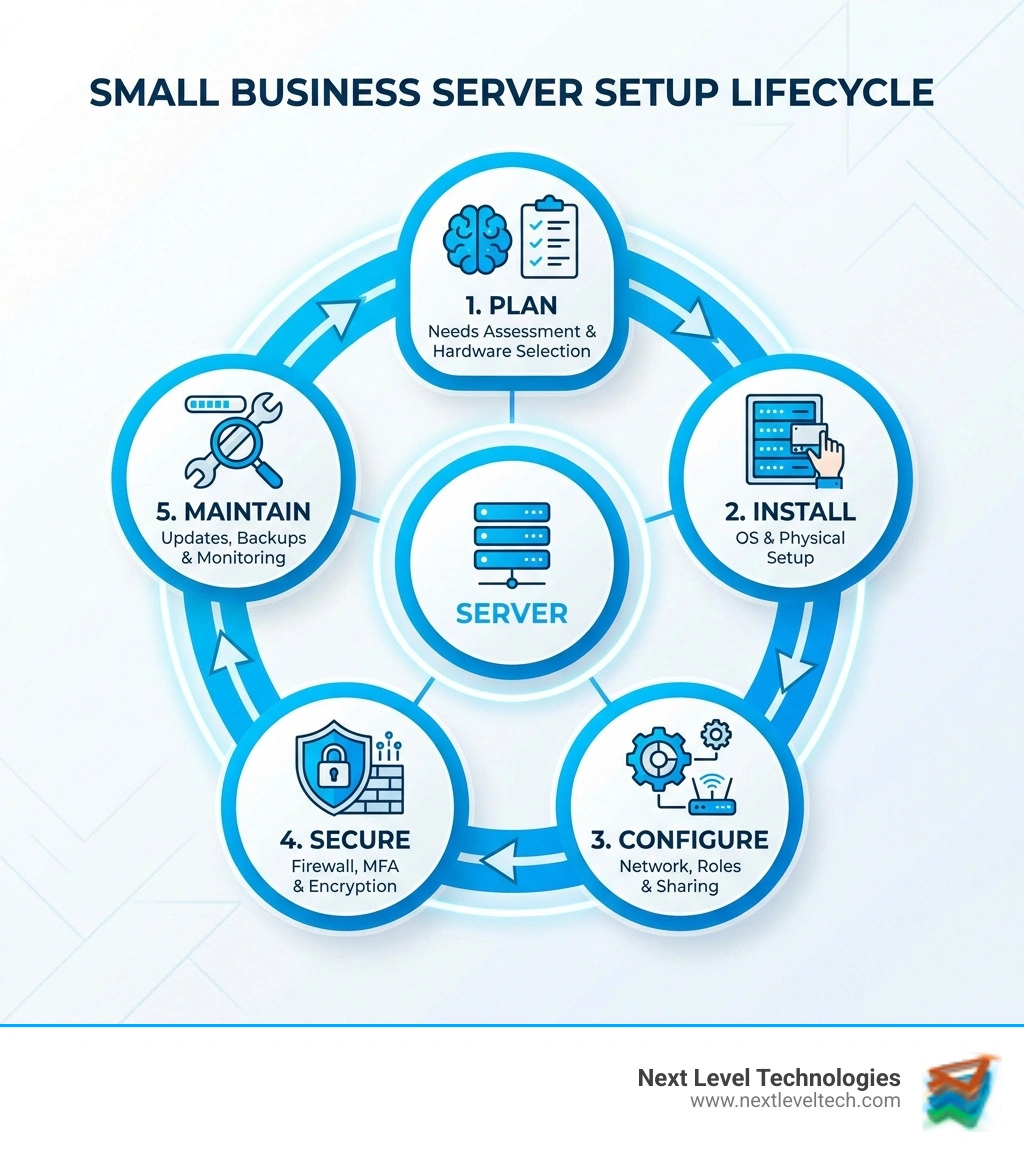
Small office server setup terms explained:
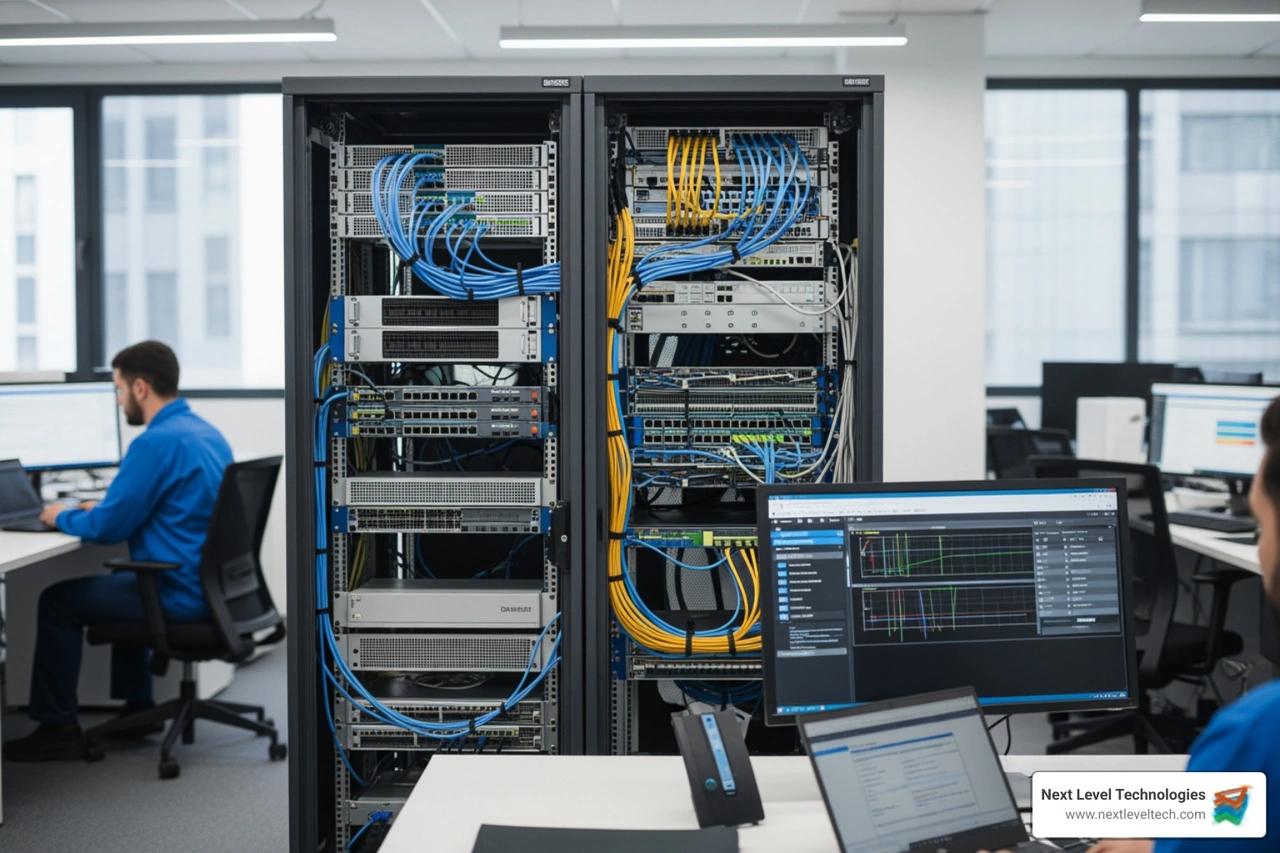
Before you start buying hardware, we need to decide where your server will actually live. The "cloud" is a popular buzzword, but it isn't magic—it’s just a physical server maintained by someone else in a data center. For many businesses in Columbus or Charleston, the choice comes down to control versus convenience.
Cloud solutions (like Microsoft Azure or Google Workspace) are great because they require zero physical space in your office and have lower upfront costs. You usually pay a monthly subscription, which can be under $100 for basic needs. However, you’re at the mercy of your internet connection.
On-site hardware gives you total control. You own the data, and access speeds are lightning-fast because the data stays on your local network. While the upfront cost is higher—often over $2,000 for a quality unit—you don't have recurring rental fees, which can save money over five years.
Hybrid models offer the best of both worlds. You might keep your sensitive customer database on a physical server in your office for security but use the cloud for email and remote file access. This is a core part of modern small business IT infrastructure.
We also highly recommend looking into virtualization. This uses software called a hypervisor (like VMware’s vSphere or Microsoft’s Hyper-V) to split one powerful physical server into multiple "virtual" ones. One physical box can act as your file server, your email server, and your security server all at once, maximizing your investment.
On-premises servers usually cost more upfront, but monthly fees stay low. They can be very fast on a local network, but your team handles maintenance. Cloud servers cost less to start and scale easily, but fees vary, speed depends on internet quality, and data is managed by a third party.
The global server market surpassed $91 billion in 2020, proving that whether in the cloud or on-site, servers are the engine of modern business.
Once you have the "where," you need the "what." The Operating System (OS) is the software that runs the show.
Whichever you choose, protection is non-negotiable. Even Antivirus for Linux servers is essential because cyber threats don't discriminate based on OS.
Budgeting for a small office server setup involves more than just the sticker price of the box. You need to factor in software licenses, backup drives, and the cost of professional installation.
A good rule of thumb is to look at a 5-year growth projection. Don't buy a server for the business you have today; buy it for the business you’ll have in three years. We always recommend adding a 20% resource buffer to your calculations for CPU and RAM to handle peak usage spikes without slowing down your team. For more on budgeting, check out our small business IT support guide.
The hardware is the heart of your operation. You want components that are built for 24/7 reliability, not just a beefed-up desktop computer.
If you’re going with an on-site server, you can’t just stick it under a desk and forget it. Servers generate heat and need clean power.
Don't just buy the cheapest thing on the internet. Look for vendors that offer solid warranties (ideally next-business-day on-site repair). Your existing tech supplier can often help you find the best server prices. Ask for referrals and look for companies that offer tailored solutions rather than a "one-size-fits-all" box.
Now for the fun part: putting it all together. Once the hardware is in place, you’ll install your OS. Most servers allow you to boot from a USB drive to start the installation.
During setup, you must assign a Static IP address to your server. Unlike your laptop, which gets a new address every time it connects (DHCP), your server needs a permanent "home address" so other computers can always find it. This is a critical step in any small business server installation.
A server is only as good as the wires connecting it to your team.
The main goal of your server is likely file and printer sharing.
If your server is the "hero" of your office, hackers are the villains. With 43% of attacks hitting small businesses, security isn't optional.
Start by configuring a robust Firewall. Think of this as the bouncer at the door of your network. It decides who gets in and who stays out. For added anonymity, you might use a Proxy server, which hides your office’s internal IP addresses from the public internet.
Other essential cybersecurity best practices include:
Hardware fails. It’s not a matter of if, but when. We advocate for the 3-2-1 backup rule:
Using server antivirus protection and conducting regular audits of your backups ensures that when disaster strikes, you can be back up and running in hours, not weeks.
An entry-level physical server can start around $1,000, but a robust system with proper licensing, a UPS, and redundant drives usually lands between $2,500 and $5,000. Cloud servers can be "rented" for $50-$200 per month depending on your data needs. Don't forget to factor in energy consumption—a server running 24/7 can add a bit to your monthly utility bill!
A NAS (Network Attached Storage) is like a "hard drive with a brain." It’s great for storing files and backups but isn't powerful enough to run heavy applications. A dedicated server is a full-blown computer that can host your website, manage your email, and run complex databases for dozens of users simultaneously.
Maintenance is key to longevity. You should schedule monthly patch management to update the OS and security software. Regularly check your hardware logs for signs of failing drives and keep an eye on your storage capacity. If you're hitting 80% full, it’s time to scale up.
Building a small office server setup is a journey, but you don't have to walk it alone. From the initial planning stages to ongoing maintenance and log analysis, having a reliable partner makes all the difference.
At Next Level Technologies, we take pride in our deep technical experience and extensive cybersecurity training. Whether you are in Columbus, Ohio, Worthington, or Charleston, WV, our team is ready to help you scale your infrastructure and protect your hard-earned data.
Don't let tech hurdles hold your business back. If you're ready to move from "zero to hero" with your office tech, explore our Managed IT Services and IT Support today. Let's build something secure together.
Master denial management in medical billing with proven strategies to reduce denials, boost appeals success, and protect revenue cycle performance.
September 25, 2026
Compare the best healthcare learning management platforms for providers with Next Level Technologies, serving Columbus, Ohio and Charleston, WV.
September 19, 2026
