Why Your Business Needs a Solid Server Foundation
Small business server setup is the process of installing, configuring, and securing a dedicated computer system that centralizes your company's data, applications, and network services. Here's what a proper setup involves:
Essential Steps for Small Business Server Setup:
- Planning - Assess your needs (users, applications, budget)
- Choose Your Approach - On-premise, cloud, or hybrid solution
- Select Hardware - CPU, RAM, storage based on your workload
- Pick an Operating System - Windows Server or Linux
- Physical Setup - Proper location with cooling and power backup
- Configure Security - Firewalls, access controls, encryption
- Test and Deploy - Validate backups and train staff
Keeping up business operations is a monumental task for individuals with little technological experience. As your business grows beyond a handful of computers, the need for a centralized server becomes critical. Without one, you're risking data loss, security vulnerabilities, and the kind of productivity-killing chaos that comes from employees emailing files back and forth or storing critical business data on personal devices.
The global server market surpassed $91 billion in 2020 and continues to grow every year, reflecting how essential these systems have become. Yet many small businesses delay this investment because the process seems overwhelming or too technical.
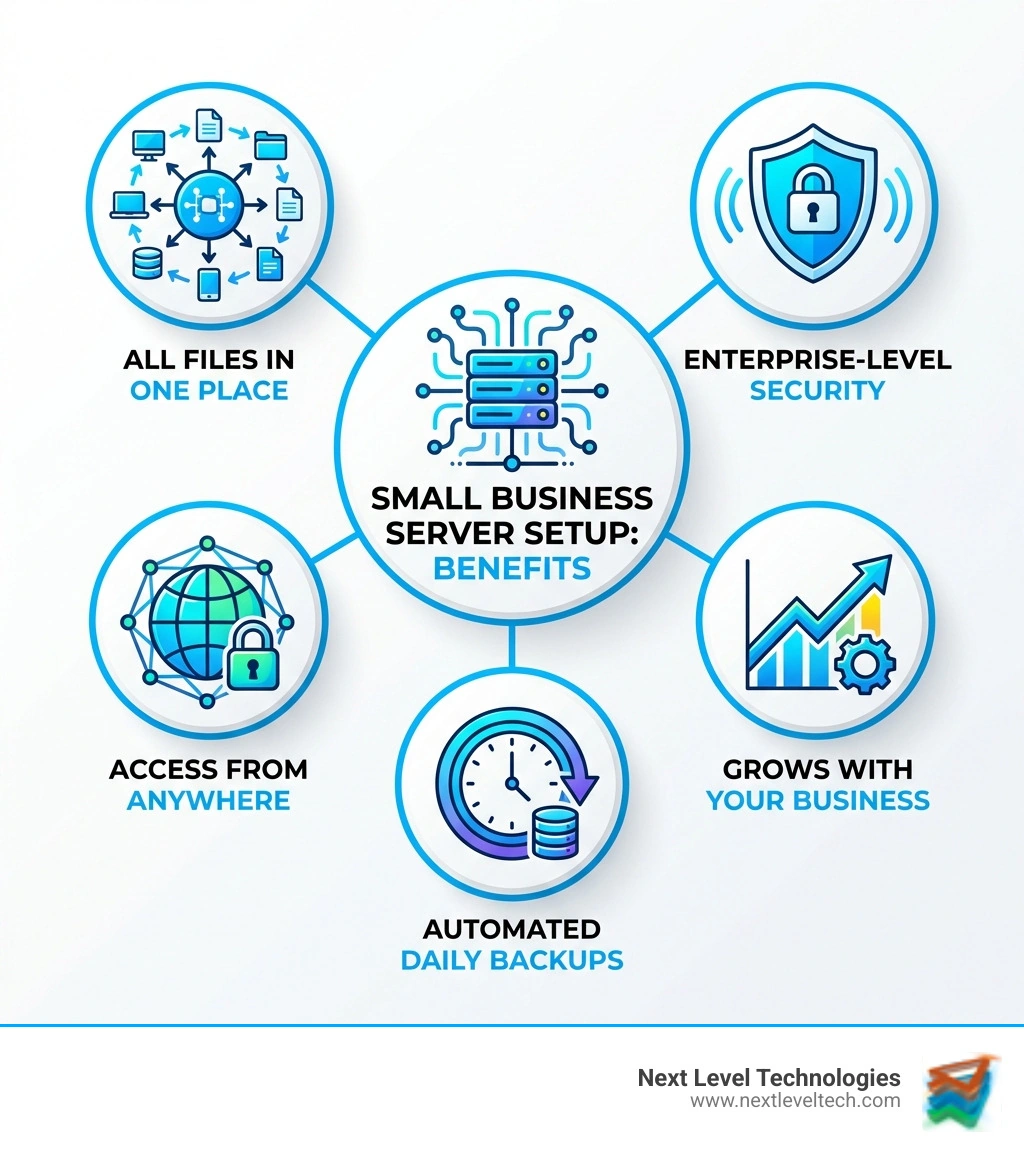
The reality is simpler than you think. A properly configured server gives you:
- Centralized data storage - One secure location for all business files
- Better security - Control who accesses what and protect against breaches
- Remote access - Your team can work from anywhere safely
- Automatic backups - Protect against hardware failures and disasters
- Scalability - Grow your IT infrastructure as your business expands
Whether you're running a law firm that needs HIPAA compliance, a design agency handling massive project files, or a manufacturing operation managing ERP systems, a dedicated server becomes the backbone of your operations.
I'm Steve Payerle, and since founding Next Level Technologies in 2009, I've guided hundreds of businesses through small business server setup projects in Columbus, Ohio and Charleston, WV. My team's extensive cybersecurity training ensures that every server we deploy is built with security at its core, not as an afterthought.
Phase 1: Planning Your Server Foundation
Before we even think about touching hardware or software, the most crucial step in any small business server setup is understanding why you need a server and what you need it to do. This planning phase is like drawing blueprints before building a house – it ensures the foundation is solid and the structure meets your exact specifications.
Assessing Business Needs
We always start by asking key questions:
- What applications will run on the server? Make a list of all business applications, from accounting software like QuickBooks to CRM systems, project management tools, or industry-specific software. Each application has its own resource demands.
- How many users will access the server simultaneously? This directly impacts processor (CPU) and memory (RAM) requirements. Consider your current team size and any anticipated growth.
- What are your data storage needs? Think about the volume and type of data (documents, images, videos, databases). Don't forget about backups!
- What are your future growth plans? Will your user count double in a year? Will you introduce new data-intensive applications? Expandability capabilities are absolutely critical for small businesses. We always recommend building in a buffer for future needs.
- What's your budget? Servers can range from under $100 per month to rent to over $2,000 to buy upfront. It's not just the purchase price; you need to factor in ongoing maintenance, power, cooling, and potential IT support costs.
On-Premise vs. Cloud-Based Servers
One of the biggest decisions in a small business server setup is where your server will "live." Will it be a physical box in your office, or will it be hosted elsewhere?
We often see businesses weighing the benefits of on-premise servers against cloud-based solutions. Here’s a quick comparison:
On-premise servers usually require a higher upfront investment for hardware, setup, electricity, cooling, and physical space. The tradeoff is more control: you own the equipment, choose the software, customize the environment, and keep data physically on-site. You are also fully responsible for security, maintenance, backups, and compliance requirements such as HIPAA or data residency rules.
Cloud-based servers typically have lower startup costs because you pay through a subscription model. They are easier to scale up or down, and the cloud provider handles much of the physical infrastructure, maintenance, and data center security. The tradeoff is less direct control over the hardware and underlying systems. Your data lives in the provider's data centers, and while many cloud platforms offer compliance certifications, your business is still responsible for using the service in a compliant way.
Hybrid setups combine both approaches. For example, you might keep sensitive files or legacy applications on-premise while using the cloud for backups, remote access, email, or scalable workloads. For many small businesses, this can offer a practical balance of control, flexibility, and cost.
For many of our clients in Columbus, Ohio and Charleston, WV, a hybrid solution often provides the best of both worlds. This approach combines on-premise servers for critical applications or sensitive data that require strict control, with cloud services for flexibility, scalability, and disaster recovery. This allows for seamless file backup and virtualization of applications, ensuring that business applications and processes remain operational even during peak demand.
Data ownership and compliance are huge considerations. For example, medical practices need to ensure HIPAA compliance, which often benefits from having greater control over data location and access. We work with you to understand these nuances and design a solution that meets industry-specific regulations.
Key Hardware Considerations
Once we know where the server will be, it's time to consider the what. Every server contains specific hardware that determines its resource capacity.

Servers aren't just powerful PCs; they're purpose-built machines designed for continuous operation, reliability, and specific tasks. Here are the core hardware components and server types we consider:
- CPU (Central Processing Unit): The "brain" of the server. For application servers or virtualized environments, you'll need multiple cores and high clock speeds.
- RAM (Random Access Memory): Critical for multitasking and running multiple applications. Web servers and database servers, for instance, benefit greatly from higher RAM. We often recommend ECC (Error-Correcting Code) RAM for servers, which helps prevent data corruption.
- Storage (Hard Disk Drive - HDD, Solid State Drive - SSD, NVMe): This is where your data lives.
- HDDs offer large capacity at a lower cost, suitable for bulk storage.
- SSDs provide much faster read/write speeds, ideal for operating systems, databases, and frequently accessed applications.
- NVMe drives are the fastest, best for high-performance applications and databases.
- RAID Configurations: Redundant Array of Independent Disks. This isn't just about speed; it's about data protection. RAID levels (e.g., RAID 1 for mirroring, RAID 5 or 6 for parity and redundancy) protect against drive failures, ensuring your data remains accessible even if a disk dies. This is a must-have for any reliable server.
- Server Form Factors:
- Tower Servers: Look like large desktop PCs but with server-grade components. Good for small offices with limited space and no dedicated server rack. They offer good expandability.
- Rackmount Servers: Designed to be installed in a server rack, saving space and optimizing cooling in a dedicated server room. Ideal for growing businesses.
- Blade Servers: Ultra-compact, hot-swappable servers that fit into a chassis. Offer high density and efficiency, typically for larger businesses, but virtualization can make them suitable for certain SMB needs.
Each server role has different hardware priorities. A database server will prioritize fast storage and robust RAID, while a file server might need multiple hot-swappable drive bays and large capacity.
Choosing a Server Operating System (OS)
The operating system is the software foundation that manages your server's hardware and allows applications to run. The choice of OS significantly impacts user-friendliness, cost, customization, and support.
- Windows Server:
- Pros: Familiar interface for existing Windows users, good integration with Microsoft products (Active Directory, Exchange, SQL Server), extensive commercial support, and a wide range of compatible software. Windows Server Essentials is a popular choice for SMBs with fewer than 25 users.
- Cons: Higher licensing costs, can be more resource-intensive than Linux.
- Linux Distributions (e.g., Ubuntu Server, CentOS):
- Pros: Open-source (often free), highly customizable, very stable and secure, less resource-intensive, excellent for web servers, database servers, and specific applications. Ubuntu Server is known for its ease of use among Linux distributions, while CentOS is popular for enterprise environments.
- Cons: Can have a steeper learning curve, especially for those new to command-line interfaces. Requires more technical expertise for installation, operation, and maintenance.
While some might suggest Linux has a "very steep learning curve" requiring a "Linux expert," we've found that with the right guidance, many businesses can leverage Linux's power and cost-effectiveness. However, for businesses heavily invested in the Microsoft ecosystem or with limited in-house IT expertise, Windows Server often provides a smoother transition and integration. Our team has extensive experience with both, allowing us to recommend and implement the best fit for your specific needs.
Phase 2: The Ultimate Small Business Server Setup Guide
With planning complete, it's time to roll up our sleeves and get to the actual small business server setup. We often approach this with a structured plan to ensure efficiency and minimize disruption. A 4-week implementation plan is a great framework:
- Week 1: Planning and Procurement: This is where we finalize hardware and software choices, order equipment, and conduct a thorough network assessment. We calculate storage needs, plan network topology, and schedule implementation windows.
- Week 2: Physical Setup and OS Installation: This involves getting the server physically ready, installing the chosen operating system, and performing initial updates.
- Week 3: Configuration and Migration: Here, we configure network settings, set up user management, deploy storage solutions, install applications, and migrate your existing data.
- Week 4: Testing and Deployment: The final week is dedicated to rigorous testing, validating backups, deploying monitoring tools, and training your staff.
Finding the Right Server Location
Where you place your server is more important than you might think. It's not just about finding an empty corner; it's about creating an environment conducive to the server's long-term health and security.
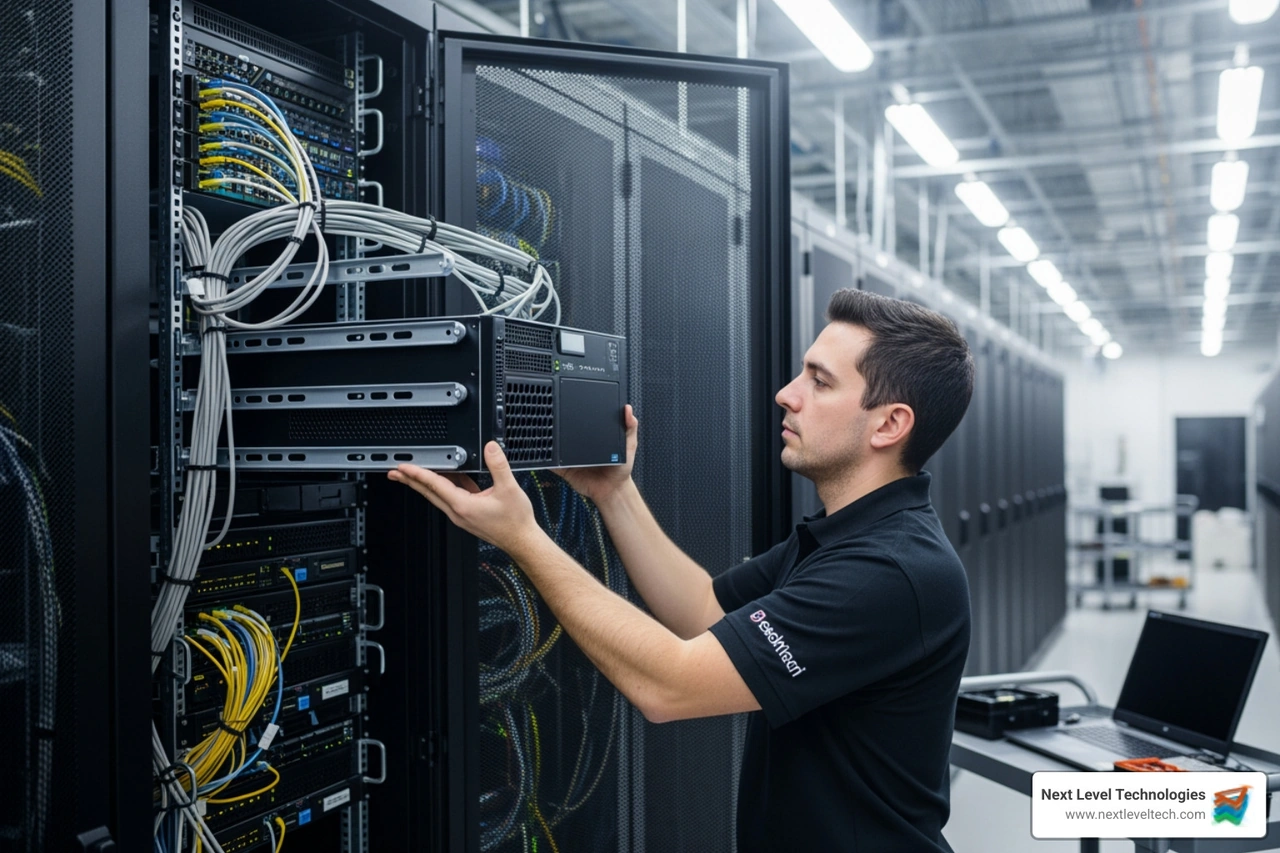
- Dedicated Server Room: Ideally, your server should reside in a dedicated, windowless room. This provides better physical security and helps control the environment.
- Cooling Requirements: Servers generate a lot of heat. Adequate cooling is paramount. An AC unit in the server room, combined with proper airflow within server racks (using fans and blanking panels), is essential. We've seen businesses try to save a buck here, only to face costly hardware failures down the line.
- Backup Power (UPS): An Uninterruptible Power Supply (UPS) is non-negotiable. It provides temporary power during outages, allowing for graceful shutdowns and protecting against data corruption from sudden power loss.
- Physical Security: The server room should be locked, with access restricted to authorized personnel. Consider security cameras if the data is highly sensitive.
- Cable Management: This might sound trivial, but good cable management is a lifesaver for troubleshooting and maintenance. Using patch panels, cable ties, and clear labeling makes servicing easier and reduces the chances of accidental disconnections. Imagine trying to find one specific cable in a spaghetti monster of wires – no thank you!
Essential Steps for a New Small Business Server Setup
Once the server is physically in place and connected, the real configuration begins:
- OS Installation: Install your chosen operating system (Windows Server or Linux). Follow the on-screen prompts, and ensure all critical updates and drivers are installed immediately.
- Setting a Secure Administrator Password: This is foundational. A strong, complex password for the administrator account is your first line of defense.
- Network Configuration: Configure the server's network settings. This includes assigning a static IP address, setting up DNS servers, and ensuring it can communicate with the rest of your network and the internet.
- Creating User Accounts: Set up individual user accounts for each employee. This allows us to assign specific permissions and track activity.
- Domain Controller Setup (for Windows Server): If using Windows Server, setting it up as a Domain Controller centralizes user authentication and management for all connected Windows machines. This provides immense control over network resources and security policies.
- Enabling Remote Access: Configure secure remote access (e.g., VPN, Remote Desktop Services) so authorized users can access server resources from outside the office.
- Configuring File Sharing: Set up shared folders with appropriate permissions, ensuring that employees can access the files they need while restricting access to sensitive data.
Phase 3: Fortifying Your Digital Fortress
A server holds the keys to your kingdom: your business data, applications, and operations. Naturally, it's a prime target for cyberattacks. Our team at Next Level Technologies places immense emphasis on cybersecurity, understanding that robust protection is not optional but essential. Nearly 43% of cyberattacks are targeted at small and mid-sized businesses, making them attractive targets.
Importance of Server Security
The moment your server goes online, it faces a barrage of threats. Attackers use various methods to compromise servers, leading to data breaches, operational downtime, and significant financial and reputational damage.
- Common Threats: These include malware (viruses, ransomware), phishing attempts (tricking users into revealing credentials), drive-by attacks (malware downloaded without user interaction), and Distributed Denial of Service (DDoS) attacks, which overwhelm a server with traffic to take it offline. Trojans, for instance, are malicious programs disguised as legitimate software, designed to create backdoors or steal data.
- Attack Vectors: Servers can be attacked directly via internet connections (e.g., through unsecured ports) or indirectly through lateral intrusion from compromised internal network devices.
Our extensive cybersecurity training ensures we're always ahead of these evolving threats, building security into every layer of your small business server setup.
Critical Security Measures for Your Small Business Server Setup
Protecting your server requires a multi-layered approach:
- Implementing Access Controls:
- Physical: Restrict access to the server room itself.
- Virtual: Enforce strong password policies, multi-factor authentication (MFA), and role-based access control (RBAC) to ensure users only access what they need.
- Up-to-date Antivirus/Anti-malware: Traditional antivirus scans for known signatures, but modern solutions go further. Event Detection and Response (EDR) software uses AI to detect anomalous activity, providing advanced threat detection and real-time response capabilities. This is far more robust than basic antivirus.
- Firewall Configuration: A properly configured firewall (hardware or software) acts as a gatekeeper, controlling incoming and outgoing network traffic. It blocks unauthorized access while allowing legitimate traffic.
- Intrusion Detection/Prevention Systems (IDS/IPS): These systems monitor network traffic for suspicious activity and can either alert administrators (IDS) or automatically block threats (IPS).
- Data Encryption (at rest and in transit): Encrypting data on your server's drives (at rest) and encrypting data as it travels across your network or the internet (in transit) protects it from unauthorized viewing, even if a breach occurs.
- Regular, Validated Backups: This is your last line of defense. We adhere to the 3-2-1 backup rule: keep 3 copies of your data, on 2 different media types, with at least 1 copy offsite. Automate backups, encrypt them, and crucially, test them regularly. A backup you can't restore is useless. We perform recovery drills to ensure data integrity and teach you your Recovery Point Objective (RPO) and Recovery Time Objective (RTO).
- Server Monitoring and Log Analysis: Continuous monitoring of server health, performance, and security logs helps detect unusual activity or potential issues before they become critical. Analyzing these logs can reveal attempted breaches or system anomalies.
Phase 4: Long-Term Server Management and Maintenance
Setting up the server is just the beginning. Like any critical piece of infrastructure, your server requires ongoing attention to ensure it runs efficiently, securely, and reliably over its lifespan.
- Regular Software and OS Updates: Keeping the server's operating system and all installed software up-to-date is paramount. Updates often include critical security patches that fix vulnerabilities exploited by attackers. Delaying updates is like leaving your front door open uped.
- Firmware Updates: Beyond the OS, server hardware components (like RAID controllers, network cards, and BIOS) have firmware that also needs regular updates for optimal performance and security.
- Performance Monitoring: Continuously monitor CPU usage, RAM utilization, disk I/O, and network traffic. This helps identify bottlenecks, anticipate future needs, and ensure applications are running smoothly. We use monitoring tools that provide real-time alerts for performance anomalies.
- Log Analysis for Anomalies: Server logs contain a wealth of information about system events, user activity, and security incidents. Regular analysis of these logs can uncover attempted breaches, system errors, or unusual behavior that might indicate a problem.
- Developing a Disaster Recovery Plan: A robust disaster recovery (DR) plan goes beyond just backups. It outlines the procedures and resources needed to restore business operations after a major incident (e.g., natural disaster, cyberattack). This includes identifying critical systems, defining RTO/RPO, and outlining communication strategies.
- Planning for Future Scalability: As your business grows, your server needs will too. Periodically review your server's capacity and performance. Are you approaching storage limits? Is the CPU consistently running at high utilization? Planning for upgrades or expansion (e.g., adding more RAM, storage, or even migrating to a more powerful server or hybrid cloud solution) ensures your IT infrastructure can support your business's evolution.
Frequently Asked Questions about Small Business Servers
What is the typical cost of a small business server?
The cost of a small business server setup can vary widely based on your needs, whether you choose on-premise or cloud, and the level of hardware/software.
- Initial Purchase Costs (On-Premise): A new physical server can range from $1,000 to over $6,000 for the hardware alone. This doesn't include the operating system license or other software.
- Monthly Rental Costs (Cloud/Dedicated Hosting): Renting a dedicated server or using cloud server instances can cost anywhere from under $100 to over $200 per month, depending on specifications and resources.
- Hidden Costs: Don't forget:
- Power and Cooling: An on-premise server consumes electricity and requires proper cooling, adding to utility bills.
- Maintenance: Software licenses, security subscriptions, and potential hardware replacements.
- IT Support: Whether internal staff or a managed services provider like us, ongoing management costs are significant.
The global server market surpassed $91 billion in 2020, reflecting the increasing investment businesses are making in server infrastructure. While the upfront cost can seem substantial, a server is an investment in efficiency, security, and the future growth of your business.
Can I use a regular desktop PC as a server?
While technically possible to run server software on a desktop PC, we strongly advise against it for a business environment. Here's why:
- Durability and 24/7 Operation: Desktop PCs are not designed to run continuously for weeks or months without a reboot. Servers are built with higher-quality components meant for 24/7 operation and higher workloads.
- Server-Grade Components: Servers use specialized hardware like:
- ECC RAM: Error-Correcting Code memory detects and corrects data corruption, which is crucial for data integrity. Desktop RAM typically doesn't have this.
- Redundant Power Supplies: Many servers can have two power supplies, so if one fails, the other takes over, preventing downtime.
- Hot-Swappable Drives: Allows hard drives to be replaced without shutting down the server.
- More Robust Cooling Systems: Designed to handle constant heat generation.
- Reliability and Performance: A desktop PC will likely be a bottleneck and a single point of failure, leading to poor performance, frequent crashes, and data loss. The cost of downtime for your business will quickly outweigh any savings from using a repurposed desktop.
For mission-critical business operations, dedicated server hardware is recommended for reliability, performance, and data integrity.
How do I know when my business is ready for a server?
Several common triggers indicate it's time to invest in a server for your small business server setup:
- Multiple Employees Needing Shared File Access: If your team is constantly emailing files, using USB drives, or struggling with version control, a server provides a centralized, accessible, and version-controlled file repository. Once you have two or more computers and need remote access to the company network, it’s time to invest in a server.
- Need for Centralized Data Backup: Relying on individual computer backups or scattered external drives is a recipe for disaster. A server allows for automated, centralized backups of all critical business data, protecting against hardware failures, accidental deletions, and cyberattacks.
- Running Specific Business Applications: Many critical business applications (e.g., CRM, ERP, accounting software, industry-specific databases) require a dedicated server for optimal performance, security, and multi-user access.
- Requirement for Remote Access to the Network: If your employees need to work from home, on the road, or from other locations, a server provides a secure and controlled way to access company resources, files, and applications remotely.
- Security and Compliance Concerns: As your business handles more sensitive data, a server offers greater control over access rights, security policies, and auditing capabilities, which are often necessary for regulatory compliance (e.g., HIPAA).
Conclusion: Taking Your Business to the Next Level
Setting up a small business server is a significant but rewarding investment in your company's future, enhancing efficiency, security, and scalability. While this guide provides a comprehensive roadmap, the process can be complex. For businesses in Columbus, Ohio, or Charleston, WV, partnering with an experienced team like Next Level Technologies ensures your server is configured correctly and securely from day one. With deep technical expertise and a focus on robust cybersecurity, a managed services provider can handle the complexities, letting you focus on growing your business. Ready to build a rock-solid IT foundation? Explore our managed IT services and support.