Remote Control: The Ins and Outs of Accessing Your PC from Afar
December 30, 2025


Discover how a healthcare management services organization boosts practice efficiency, cuts overhead, and protects clinical autonomy.
October 3, 2026

Master denial management in medical billing with proven strategies to reduce denials, boost appeals success, and protect revenue cycle performance.
September 25, 2026
Compare the best healthcare learning management platforms for providers with Next Level Technologies, serving Columbus, Ohio and Charleston, WV.
September 19, 2026
December 30, 2025
Remote access solutions are technologies that let employees, IT teams, and vendors connect to company computers, applications, and networks from outside the office. These tools include everything from traditional VPNs to modern Zero Trust platforms.
Key types of remote access solutions include:
The business case is compelling: research shows 77% of remote employees report being more productive, and 98% of remote workers want to continue working remotely at least part-time. However, this shift introduces risks, with 36% of organizations have experienced a security incident due to an unsecured remote worker.
The challenge isn't if you should enable remote access, but how to do it securely and efficiently. Poor implementation leads to data breaches and compliance violations, while a proper setup becomes a competitive advantage that attracts talent and ensures business continuity.
I'm Steve Payerle, President of Next Level Technologies, where we've spent over 15 years helping businesses in Columbus, Ohio, and Charleston, WV, implement secure remote access solutions. Our team's extensive cybersecurity training ensures every remote connection is configured with the same rigor we'd apply to your physical office network.
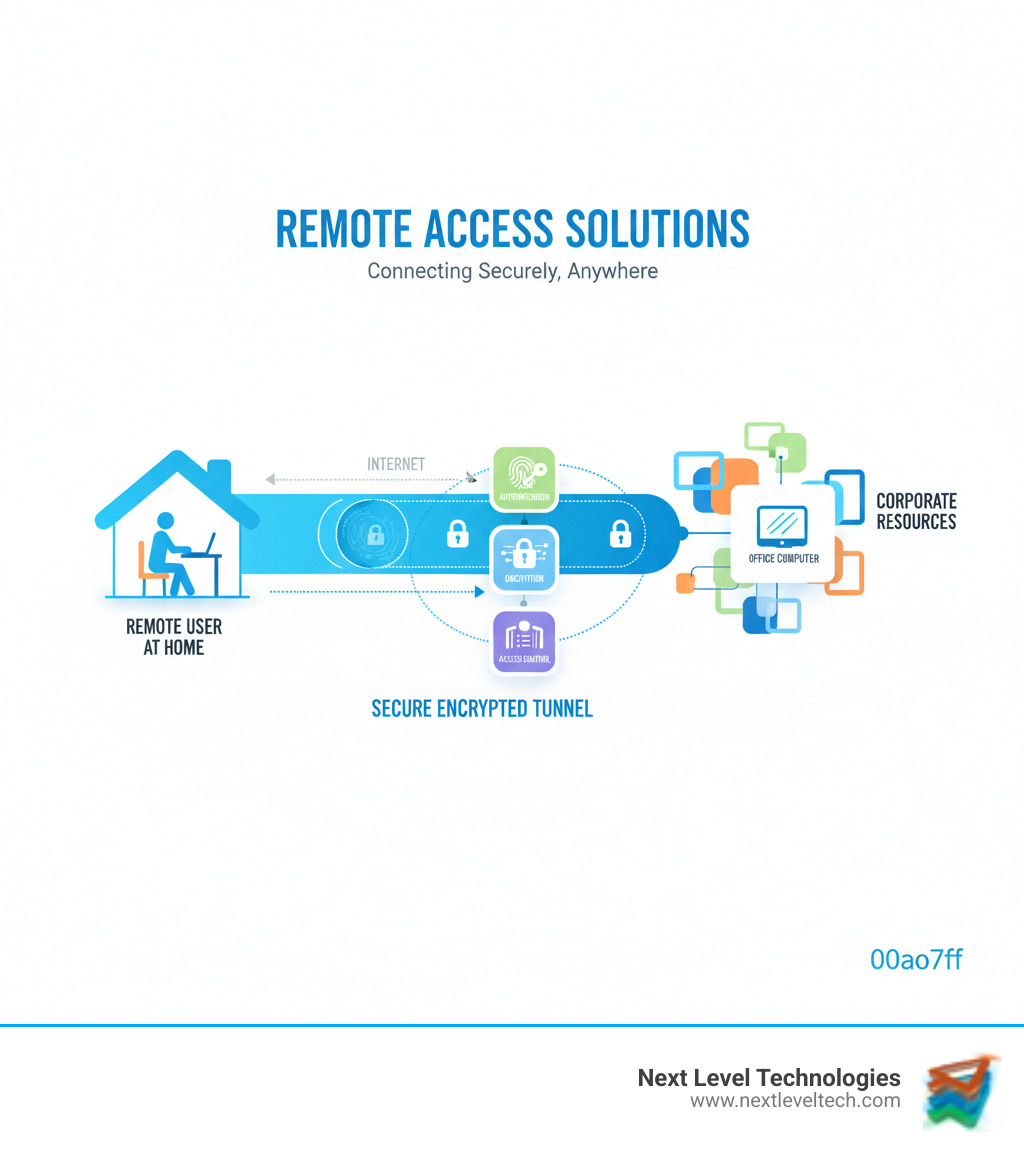
The business landscape has permanently shifted. For companies in Columbus and Charleston, the conversation is no longer about whether to enable remote access, but how to do it right. Strategic implementation allows businesses to pull ahead with more efficient teams, faster IT support, and the resilience to weather any disruption.
The benefits are clear: 77% of remote employees say they're more productive when working from home. That's not marketing spin; it's real data reflecting real results.
Remote access enables modern productivity: a marketing manager working during their peak hours, a developer accessing a powerful server from a remote location, or a sales team pulling up client files on-site. This freedom boosts productivity, as employees can structure their day around peak creative times, skip the commute, and find quiet spaces for deep focus.
In fact, 76% of employees prefer to avoid their office completely when they need to concentrate on a project. With the right remote access, the best work environment is wherever distractions are fewest, making location irrelevant.
Practically, this means a graphic designer or data analyst can use specialized, high-powered office hardware from any device, anywhere. This eliminates bottlenecks and ensures an uninterrupted workflow.
For IT departments, remote access solutions are about control, visibility, and speed. Backed by extensive cybersecurity training, our technicians use these tools for total endpoint management. We can monitor and manage every device, whether in your Worthington office or in Charleston, catching problems before they become emergencies.
Remote troubleshooting changes everything. An employee reports a problem, and our team connects remotely within minutes to see, diagnose, and resolve the issue, often on the initial call. This speed prevents minor hiccups from becoming hours of lost productivity.
Software deployment and system updates are also streamlined. We push patches and updates centrally to all devices across your Columbus and Charleston locations, ensuring everyone is secure without manual intervention. This centralized approach reduces IT workload, allowing our technicians to solve more problems faster.
With our team's rigorous cybersecurity training, every connection is secured and logged, keeping your network protected. The result is reduced downtime, better security, and peak IT efficiency—like having our skilled technicians available instantly for every employee.
Not all remote access solutions are equal. Technology has shifted, and yesterday's solutions can be today's vulnerabilities. The challenge is understanding the options to find the right fit for your security and business goals.
Through our work with businesses across Columbus, Ohio, and Charleston, WV, we've learned that technology is only half the equation. Expert configuration is what separates secure remote access from a security nightmare. Our team's extensive cybersecurity training gives us the expertise to perfect these configurations.
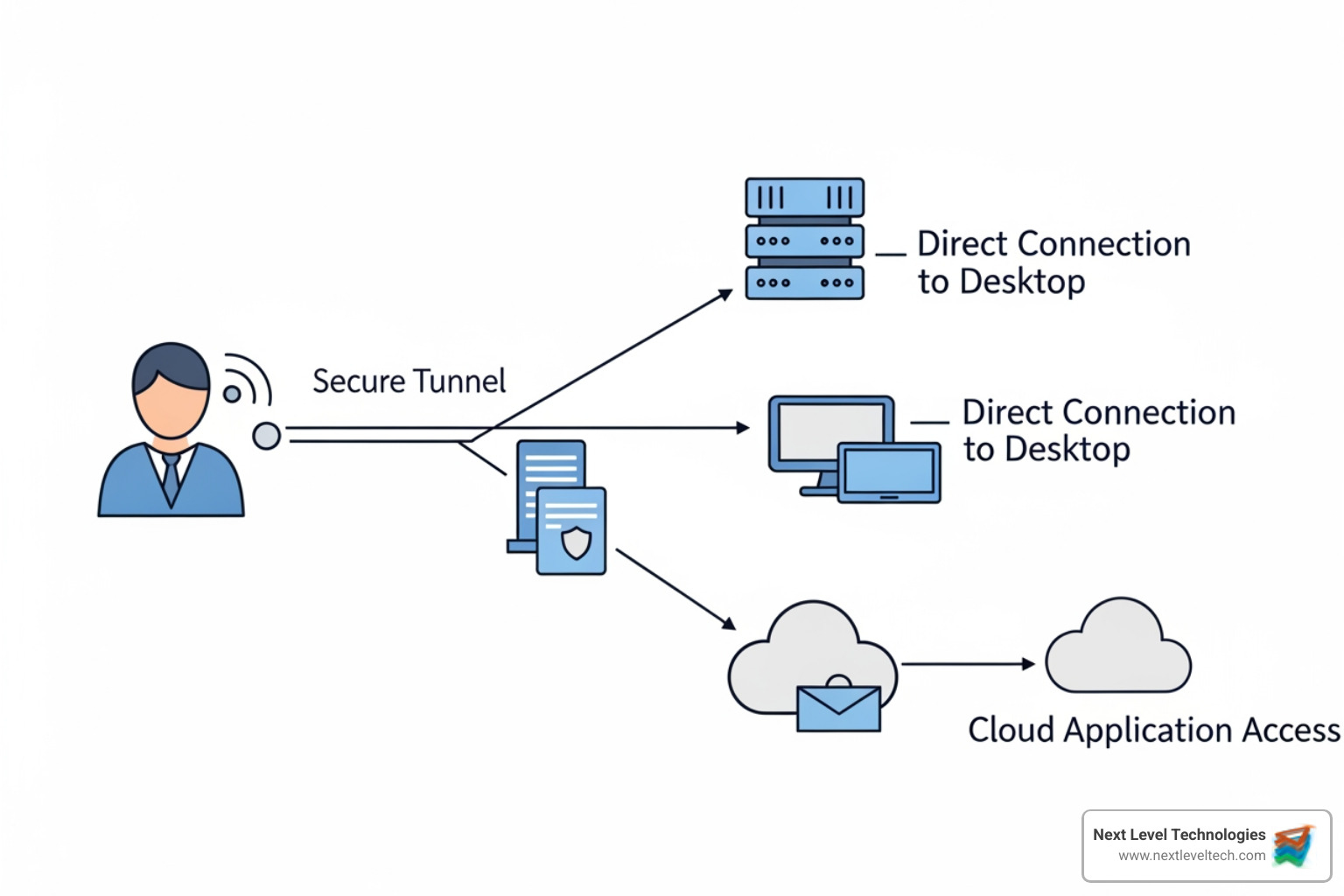
Let's break down the main categories.
The Virtual Private Network (VPN) was the traditional standard, creating an encrypted highway to your office network. While VPNs provide strong encryption, their broad network-level access is a liability. A compromised user or device gives an attacker access to your entire network. This makes expert security configuration, which our team's technical experience provides, absolutely critical.
Remote Desktop Protocol (RDP) for Windows and Secure Shell (SSH) for Linux let you control a specific computer. They're useful for IT support, but the danger is exposing these services directly to the internet via port-forwarding, which creates a target for automated attacks. Our cybersecurity training has taught us to implement these tools safely with security layers like jump servers, network segmentation, and multi-factor authentication to eliminate common attack vectors.
Here's how these solutions compare:
| Solution Type | Security Level | Granularity of Access | Ease of Use/Setup |
|---|---|---|---|
| VPN | Moderate (depends on configuration) | Network-level (broad) | Moderate (client setup, server configuration) |
| Direct Access (RDP/SSH) | Low (if exposed directly), Moderate (with VPN/ZTNA) | Device-level (specific machine) | Easy for basic use, Complex for secure setup |
| Modern ZTNA | High (inherently secure) | Application-level (least privilege) | Moderate (initial setup), Easy (user experience) |
The old "castle and moat" security model is outdated. Zero Trust Network Access (ZTNA) represents a fundamental rethinking of remote access, flipping the script from "Are you on the network?" to "Who are you and what do you need?"
ZTNA authenticates, authorizes, and encrypts every connection request. Users only get access to specific applications, not the entire network. This is based on the zero trust model principle of "never trust, always verify." The result is a massively reduced attack surface that prevents lateral movement by attackers.
ZTNA solutions can be client-based (requiring an agent for best security) or clientless (browser-based for temporary access). Cloud-enabled platforms often use these principles, delivering virtual desktops and apps through secure portals.
In our Columbus and Charleston offices, we're helping more clients transition to these modern approaches. While the initial setup requires careful planning, they are often simpler to manage and provide security that matches today's threats.
Opening up remote access transforms your business, but it also introduces security risks. Effective security is more than just software; it requires a thoughtful strategy and expert management. At Next Level Technologies, our team's heavy investment in cybersecurity training ensures our remote access solutions are backed by the necessary expertise.
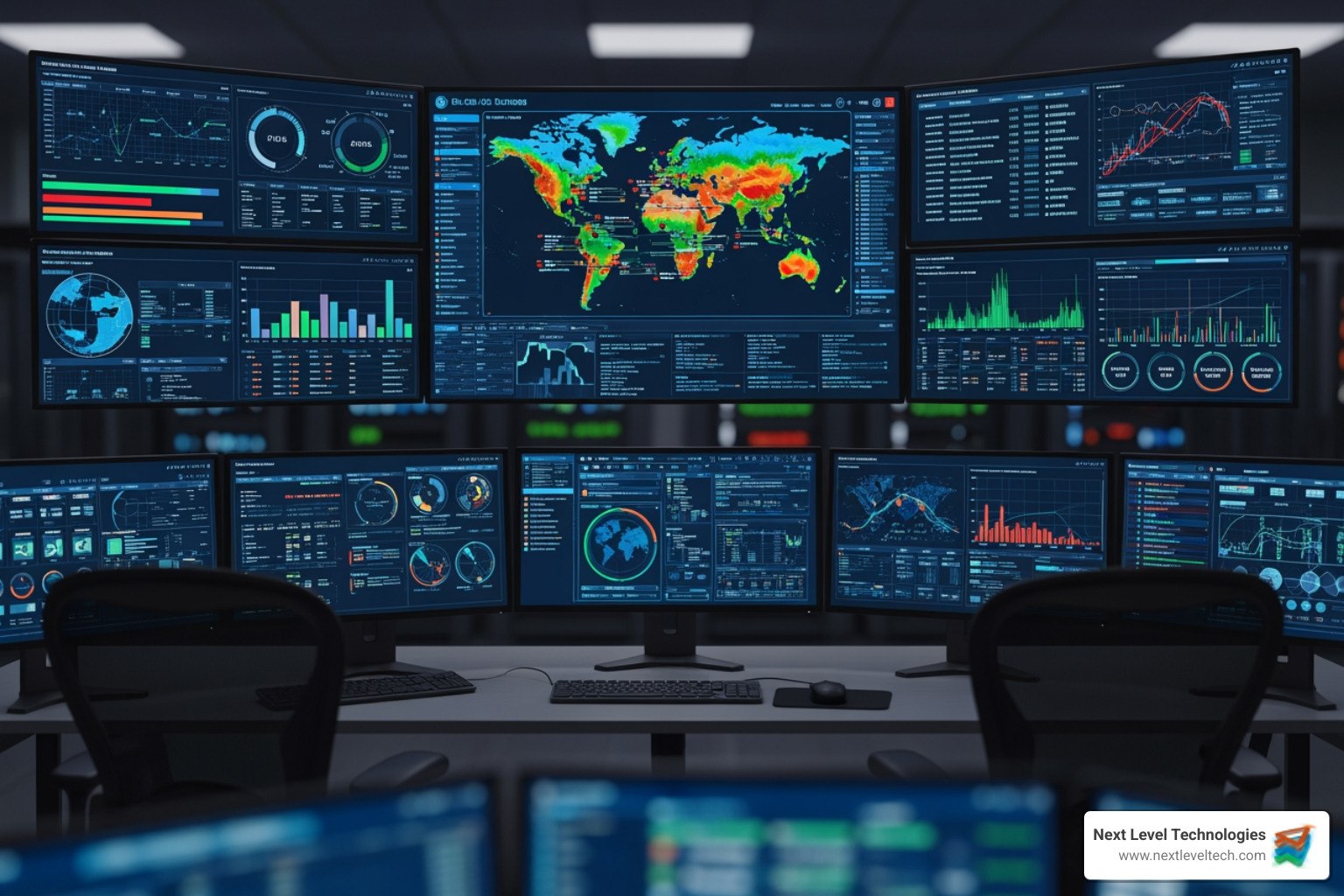
Cybersecurity is not just about tools, but about the expertise of the teams managing them, who require extensive and continuous training to stay ahead of threats.
The convenience of remote access makes it a target. Unauthorized access, usually from stolen credentials via phishing, is the top threat. Modern phishing is sophisticated, and CISA has issued repeated warnings about scams targeting remote workers. The financial impact is staggering, with the average phishing attack costing businesses $1.6 million.
Malware can spread from a compromised home computer to your entire network. Home networks are rarely as secure as office environments, with outdated routers and default passwords creating a highway for attackers. The statistics are sobering: 36% of organizations have dealt with a security incident linked to an unsecured remote worker. It's why we take a proactive approach to security for our clients in Columbus and Charleston.
Protecting your infrastructure requires layered security. We start with the Principle of Least Privilege (PoLP): users only access what they absolutely need for their job. This limits potential damage from a compromised account.
Other best practices include:
When we help businesses choose remote access solutions, these security features are non-negotiable:
Our technical staff's extensive cybersecurity training means we know how to implement these features properly, maximizing security without frustrating users.
Remote access solutions are the invisible backbone of modern business operations, powering everything from daily employee tasks to critical IT and vendor support.

Remote access empowers various roles within an organization, from daily employee tasks to critical vendor support.
Modern remote access makes hybrid work models effective. For example, a graphic designer in Worthington can remotely access a powerful office workstation to use resource-intensive software, working as if they were at their desk. Team members can securely access office files, tap into specialized applications, and switch between devices seamlessly.
For businesses we support across Columbus and Charleston, this flexibility is essential for attracting talent and ensuring operational continuity. Your team can work effectively from anywhere, avoiding disruptions from traffic or weather.
As IT professionals, remote access tools are essential for our support delivery. We can connect to a user's device in seconds to see, diagnose, and fix issues in real-time. Our technicians, with their extensive cybersecurity training, rely on these tools for endpoint diagnostics and repair, resolving issues faster than an on-site visit.
Unattended access for maintenance is even more powerful. Our team can perform critical tasks like patch management and software updates after hours, so your systems are ready and secure each morning without interrupting workflow. This capability dramatically reduces on-site visits, saving time and money for everyone, especially for clients in locations like Charleston, WV, where drive times can be significant.
Granting access to third-party vendors is where our cybersecurity expertise is critical. They need access, but not the keys to your entire network.
This is where Privileged Access Management (PAM) comes in. We configure remote access solutions that provide vendors with exactly what they need and nothing more. Using Just-in-Time (JIT) access, we can grant temporary, time-limited access to specific resources. Once the work is done, access disappears.
Every vendor action is logged and audited for security and compliance. Our technical teams in Columbus, OH, and Charleston, WV, prevent the common mistake of overly permissive vendor access, ensuring your vendors can work effectively while your sensitive systems remain protected.
Remote access is more than just working from home; it's a strategy for operational flexibility, productivity, and business continuity. For businesses in Columbus, Worthington, and Charleston, these tools are transformative.
However, these benefits are meaningless without security. With risks like phishing and malware, and with 36% of organizations facing a security incident due to unsecured remote workers, it's clear that technology alone isn't the answer.
The challenge is balancing accessibility and control. This requires expertise to securely configure, monitor, and adapt your tools to evolving threats. That's why our team at Next Level Technologies invests so heavily in continuous technical and cybersecurity training.
Every business is different. A small accounting firm in Charleston has different needs than a manufacturing company in Columbus. We take the time to understand your specific operations, security requirements, and budget to design a remote access strategy that fits your business.
Whether you're starting to explore remote work or upgrading an existing setup, we're here to help. Our managed IT services cover everything from implementation to ongoing monitoring, security updates, and user support. We handle the technical complexity so you can focus on running your business.
Ready to secure your remote workforce without sacrificing productivity? Learn how our managed IT services can secure your remote workforce and find the right balance for your business.
Discover how a healthcare management services organization boosts practice efficiency, cuts overhead, and protects clinical autonomy.
October 3, 2026
Master denial management in medical billing with proven strategies to reduce denials, boost appeals success, and protect revenue cycle performance.
September 25, 2026
