Your Business's Digital Backbone Explained
December 5, 2025


Learn how Healthcare Management Administrators Inc optimizes self-funded plans, provider networks, and clinical quality for employers.
October 17, 2026

Upgrade your healthcare claims management for maximum accuracy with Next Level Technologies, serving Columbus, Ohio and Charleston, WV.
October 10, 2026

Discover how a healthcare management services organization boosts practice efficiency, cuts overhead, and protects clinical autonomy.
October 3, 2026
December 5, 2025
Business IT support is the comprehensive management of your company's technology, covering everything from 24/7 system monitoring and cybersecurity to help desk services and strategic planning. In short, it’s what keeps your systems running, your data secure, and your employees productive.
Think of IT support as the digital backbone of your business. A healthy IT infrastructure supports every business function and enables growth. But when something goes wrong, everything can stop.
The stakes are real. Downtime can cost businesses between $5,600 to $9,000 per minute, and cyber threats grew by 38% in 2022 alone. For mid-sized businesses dealing with outdated technology, professional IT support isn't just an option—it's essential for survival and growth.
I'm Steve Payerle, President of Next Level Technologies. Since 2009, we've helped businesses in Columbus, Ohio, and Charleston, WV, build robust IT infrastructures. Our team's extensive cybersecurity training and technical expertise have helped hundreds of companies transform their IT from a constant headache into a strategic advantage.
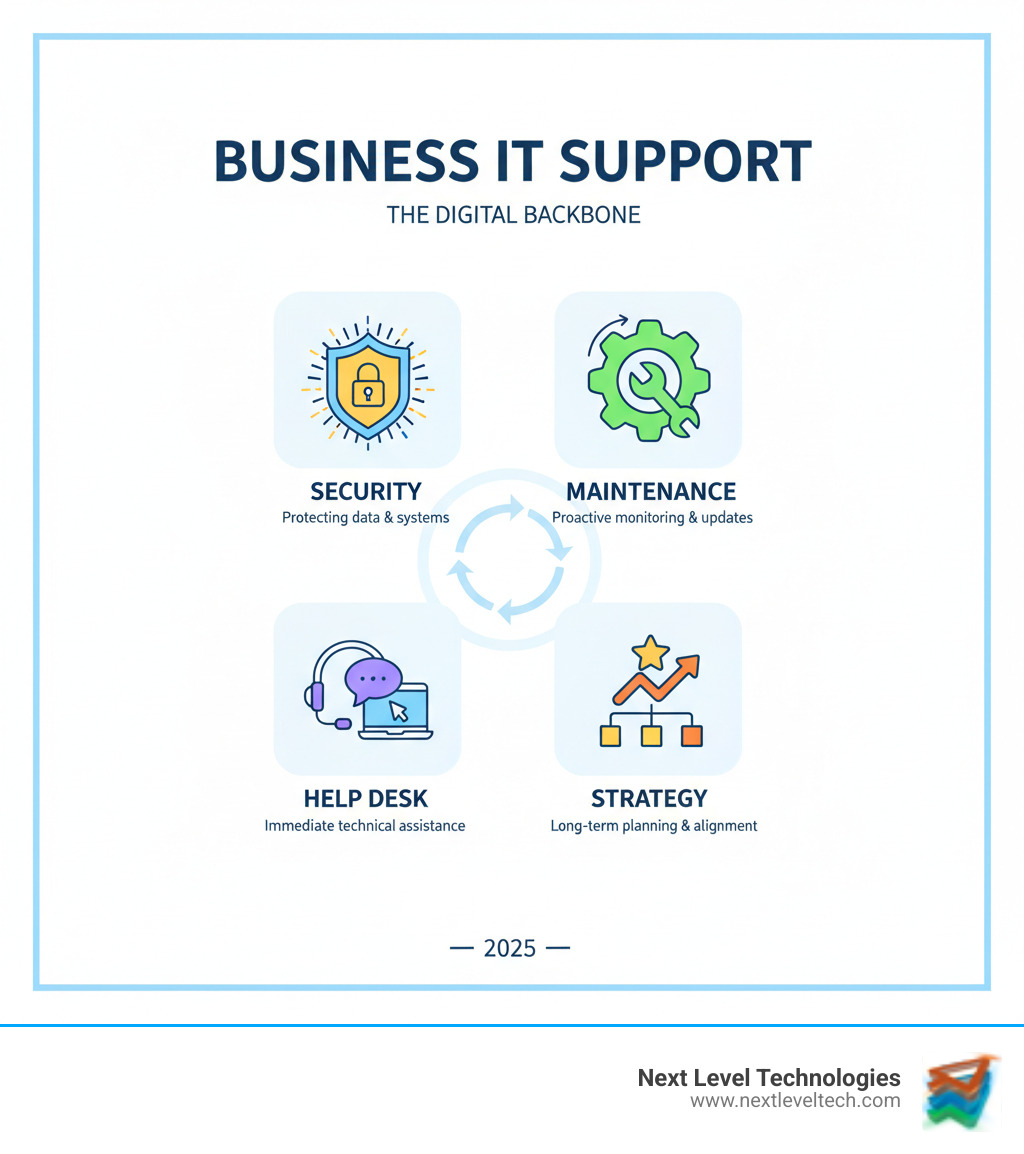
Effective business IT support is a holistic approach to managing your technology—one that ensures it works for you, not against you. The goal is to make your IT infrastructure resilient and efficient so you can focus on running your business.
At Next Level Technologies, we build your IT environment on several interconnected pillars. This comprehensive approach is best delivered through our Managed IT Services—a proactive model designed to prevent problems before they start.
Managed IT Services shift from reactive, break-fix support to a proactive, preventative strategy. Instead of waiting for something to break, we become your dedicated IT department, continuously monitoring and maintaining your infrastructure for a predictable, flat monthly fee. This model offers:
Proactive Monitoring & Network Management: We watch your systems 24/7 to detect anomalies before they cause problems. We also manage your entire network—from Wi-Fi to servers—to ensure data flows smoothly and securely, preventing bottlenecks that halt productivity.
Help Desk & User Support: When technical glitches happen, your employees need fast, effective help. Our dedicated IT Support team provides friendly, expert assistance to get your people back to work quickly, whether it's a password reset or a software issue.
Cybersecurity Services: With cyber threats constantly growing, protecting your data is non-negotiable. Our team's extensive cybersecurity training allows us to implement comprehensive solutions, including firewalls, threat detection, and ongoing monitoring to safeguard your business. Learn more in our IT Security Services Ultimate Guide.
Data Backup & Disaster Recovery: Data is your business's lifeblood. We implement robust Data Backup and Recovery plans to ensure your critical information is always protected and quickly recoverable from a ransomware attack, natural disaster, or human error.
Cloud Solutions & Management: We help you leverage the power of the cloud for scalability and efficiency. From migration to ongoing management, we ensure your cloud infrastructure is optimized, secure, and integrated with your other systems.
Strategic IT Guidance: Beyond day-to-day support, our IT Consulting for Small Businesses and vendor management services provide a single point of contact for all your technology needs. We help you make informed decisions that align with your goals and free you from managing multiple tech vendors.
Deciding how to handle your business IT support is a critical choice. Should you build an in-house team or partner with an outside provider? For many businesses in Columbus, Ohio, and Charleston, WV, the answer depends on budget, growth plans, and industry needs. Often, the best solution is a hybrid, or co-managed, approach, which is an effective IT Cost Reduction Strategies.
Here’s a quick comparison:
An in-house team can make sense for large organizations with highly specialized or proprietary systems. The primary benefits are control and proximity. An internal IT person is a dedicated resource embedded in your company culture, available for immediate on-site hardware issues and face-to-face support. You also maintain direct control over your IT strategy and priorities.
The key question is whether these advantages outweigh the significant costs and limitations—for most businesses, they don't.
I've seen outsourcing transform businesses from overwhelmed to growth-focused. The benefits are clear:
Cost Savings: You eliminate recruitment, salary, and training expenses. Instead of a large capital outlay, you get a predictable operational expense.
Access to a Team of Experts: You're not just hiring one person; you're gaining an entire team. Whether you need help with cloud migration, compliance, or ransomware threats, our staff has the technical expertise and certifications to guide you.
Advanced Cybersecurity: This is where outsourcing truly shines. Defending against modern threats requires specialized knowledge that's difficult to maintain in-house. Our team's extensive cybersecurity training and access to advanced threat intelligence tools provide enterprise-level protection.
Focus and Scalability: Your services scale as your business evolves, and your internal team is freed from daily troubleshooting to focus on core business functions.
24/7 Support: Your systems don't stop at 5 PM, and neither do we. Critical issues are addressed immediately, day or night, so you can sleep better knowing someone is always watching. For a full breakdown, see our Top 7 Benefits of Outsourcing IT Support.
Finding the right business IT support partner is a strategic decision that impacts your security, productivity, and growth. You're not just hiring a vendor; you're choosing a partner to help your business thrive. As SCORE Utah notes, proper IT support is essential for survival.

For businesses in Columbus, OH, and Charleston, WV, asking the right questions is key. Here’s what to focus on when evaluating providers.
Anyone can claim to be an IT expert; look for proof.
Credentials and Training: Look for industry certifications (CompTIA, Microsoft, Cisco) and ask about ongoing training programs, especially in cybersecurity. At Next Level Technologies, we invest heavily in extensive cybersecurity training for our team.
Security Protocols: A quality provider should have robust internal security and implement best practices for clients, from managed detection to endpoint security. They must be as protective of your data as they are of their own. Our IT Security Services Ultimate Guide details what this looks like.
Compliance Experience: If your industry has regulations like HIPAA or SOC 2, your provider needs a proven track record. We've helped numerous businesses steer complex IT Compliance requirements.
Cookie-cutter solutions don't work. Your provider must adapt to your unique goals.
Service Level Agreements (SLAs): A clear SLA is your safety net. It should define guaranteed response times, resolution times, and service availability in writing.
Support Structure: A good provider offers a balance of on-site and Remote IT Support for Small Businesses. Local presence in areas like Columbus, OH, or Charleston, WV, gives you the best of both worlds.
Client References: Testimonials and case studies provide the real story. Look for measurable improvements in uptime, security, or efficiency.
Scalability: Your business will change, so choose a provider with scalable service plans. For those searching for IT Service Providers in Columbus, Ohio, we invite you to see how our flexible approach can support your growth.
Investing in professional business IT support isn't just a cost—it's an investment in your company's future. By treating IT as a strategic asset, businesses in Columbus, OH, and Charleston, WV, can transform their operations.

When IT runs smoothly, you maximize efficiency and reduce costly downtime. 52% of companies saw worker productivity jump after modernizing their IT. Proactive monitoring and rapid response keep expensive interruptions to a minimum, protecting your revenue and customer trust. The ROI shows up in lower operational costs, higher productivity, and the ability to innovate faster. A strategic IT partner helps you anticipate changes and adopt innovations that keep you competitive. Our guide on the Advantages of Managed IT Services explores these benefits in depth.
With cyber threats on the rise, strong business IT support is your best defense. Our team's extensive cybersecurity training allows us to deploy proactive threat detection and create a solid IT Disaster Recovery Planning guide for when incidents occur. Key components of modern defense include:
Staying ahead of technology trends is key to remaining competitive. Here’s what’s shaping the future of IT support:
Business owners in Columbus, OH, and Charleston, WV, often have the same questions when considering IT support. Here are answers to the most common concerns.
There's no single answer, as the cost of business IT support depends on your company's size, complexity, and needs. Some providers charge per user or per device. The alternative is a break-fix model, where you pay by the hour for emergency repairs. This can seem cheaper but often leads to higher costs and unpredictable bills.
At Next Level Technologies, we recommend flat-rate managed services. You pay a predictable monthly fee for comprehensive, proactive support. This approach provides budget certainty and saves money in the long run by preventing costly downtime, which can exceed $5,600 per minute.
Response times should be clearly defined in your Service Level Agreement (SLA). Most providers use priority levels: a critical issue like a network outage gets immediate attention, while a minor glitch has a longer response window. Your SLA should specify both response time (how quickly work begins) and resolution time (how long it takes to fix).
For businesses that can't afford to be offline, 24/7 support for critical issues is a necessity. Our team monitors systems around the clock, and our extensive cybersecurity training ensures we can address threats whenever they emerge.
Yes, outsourced business IT support can be extremely secure—often more so than an in-house solution—but only if you choose the right partner. It's crucial to vet your provider's security track record and internal policies.
A qualified provider will have robust security protocols, including enterprise-grade firewalls, encryption, and regular security audits. If you have industry regulations, verify their compliance certifications (e.g., HIPAA, SOC 2). Our guide on IT Compliance explains these in more detail. A comprehensive Non-disclosure Agreement (NDA) is also standard practice.
It comes down to trust. Our team's extensive cybersecurity training and reputation in Columbus, Ohio, and Charleston, WV, are built on a foundation of technical excellence and protecting our clients' data as if it were our own. For practical tips, see our guide on 6 Ways to Keep Your Business Data Safe.
Your business IT support is the digital backbone that enables security, efficiency, and strategic growth. The right IT partner doesn't just fix problems; they prevent them and position your technology as a competitive advantage.
We've covered what comprehensive support means and weighed the options between in-house and outsourced solutions. Now you have the tools to make an informed decision that will protect your reputation and free your team to do their best work.
For businesses in Columbus, OH, and Charleston, WV, choosing a local partner with deep technical expertise and extensive cybersecurity training is crucial. At Next Level Technologies, we've been that partner for hundreds of businesses since 2009, turning IT frustration into strategic opportunity.
Your technology should work for you, not against you. If you're ready to transform your IT from a necessary evil into a strategic asset, we'd love to show you what's possible.
Contact us to learn more about our Managed IT Services and IT Support.
Learn how Healthcare Management Administrators Inc optimizes self-funded plans, provider networks, and clinical quality for employers.
October 17, 2026
Upgrade your healthcare claims management for maximum accuracy with Next Level Technologies, serving Columbus, Ohio and Charleston, WV.
October 10, 2026

